


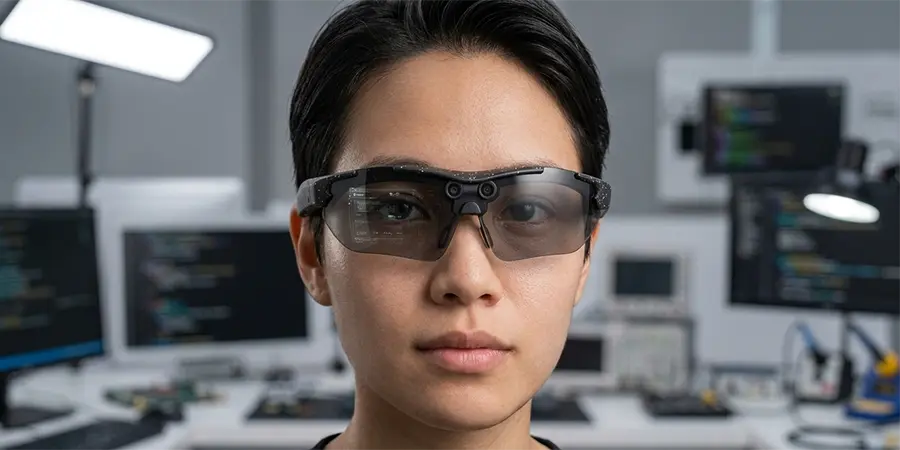
Can I Use Smart Glasses with a Prescription for Hyperopia?
SpeCiC-AI-Smart-Glasses2026-04-26T19:00:29+08:00Can I Use Smart Glasses with a Prescription for Hyperopia?
Hot Take: Most smart glasses companies don't actually care about people with imperfect vision—they just treat prescription support as an afterthought to check a box on their spec sheet.
Let me start with a confession. For years, I was that person who carried three pairs of glasses everywhere I went. There was the "reading glasses" for menus and phone screens, the "distance glasses" for driving and watching movies, and the "backup pair" that lived in my glove compartment because I inevitably lost or broke one of the other two.
When smart glasses started popping up everywhere, I was equal parts excited and devastated. "Great," I thought, "another cool gadget I can't use because my eyes are terrible at focusing on things that are close."
If you're farsighted (or hyperopic, as the fancy eye people call it), you know exactly what I'm talking about. You can see mountains miles away perfectly clearly, but trying to read a text message without holding your phone at arm's length makes you look like you're trying to decipher ancient hieroglyphics. The idea of wearing smart glasses with camera that let you take photos, make calls, and get AI assistance hands-free sounds amazing—until you realize you'd still need to wear your reading glasses underneath them.
Spoiler alert: That doesn't work. At all.
But here's the good news: The smart glasses industry has finally caught up to the fact that most of us don't have perfect vision. In 2026, you absolutely can use smart glasses with a prescription for hyperopia. The bad news? Not all smart glasses are created equal when it comes to prescription support, and some solutions are way better than others.
In this comprehensive guide, I'm going to walk you through everything you need to know about using smart glasses as a farsighted person. We'll cover why hyperopia is trickier than myopia for smart glasses manufacturers, the different solutions available, and which brands actually get it right. And yes, we'll be talking a lot about SpeCiC—because in my experience, they've solved the prescription problem better than almost anyone else in the audio/camera smart glasses space.
Table of Contents
- First, Let's Talk About Hyperopia (Without the Medical Jargon)
- The Traditional Solutions (And Why They Suck for Smart Glasses)
- The Smart Glasses Prescription Revolution
- Why SpeCiC Gets Prescription Right for Farsighted Users
- How SpeCiC Compares to Other Smart Glasses Brands
- How to Get the Perfect Prescription Lenses for Your Smart Glasses
- Common Problems (And How to Fix Them)
- Frequently Asked Questions
- Conclusion
First, Let's Talk About Hyperopia (Without the Medical Jargon)
Before we dive into smart glasses, let's make sure we're all on the same page about what hyperopia actually is. I'm not going to bore you with a bunch of medical terms or eye anatomy lessons—partly because I'm not a doctor, and partly because you don't need to know how your cornea works to buy a pair of smart glasses.
Here's the simplest way to think about it: If you're farsighted, your eyes are really good at focusing on things that are far away, but they struggle to focus on things that are close. That's why you can read street signs from a block away but can't see the time on your watch without squinting.
For most people, hyperopia is something you're born with. It's not caused by staring at screens too much or reading in the dark (sorry, mom). It's just how your eyes are shaped. And while it's less common than myopia (nearsightedness), it still affects millions of people around the world—especially as we get older and our eyes lose some of their natural focusing ability (that's presbyopia, which is basically age-related farsightedness).
Controversial Question: Why do smart glasses companies always show models with perfect vision in their ads? Is it because they don't think people with glasses are "cool" enough, or is there a more practical reason?
The problem with hyperopia and smart glasses is that most smart glasses are designed with the assumption that you can focus on things that are about 1-2 meters away from your face. For farsighted people, that's exactly the distance we struggle with the most. So even if the smart glasses have a crystal-clear display or amazing audio, if you can't focus on the screen or see the buttons clearly, they're basically useless.
The Traditional Solutions (And Why They Suck for Smart Glasses)
Before we get to the good stuff, let's take a quick look at the traditional solutions for hyperopia and why none of them work well with smart glasses.
1. Wearing Your Regular Glasses Underneath Smart Glasses
This is the first thing most people try, and it's also the worst. Let me count the ways this is a terrible idea:
- It's uncomfortable as hell: Two pairs of glasses pressing on your nose bridge will give you a headache in about 15 minutes. I speak from experience.
- It looks ridiculous: You'll look like a character from a bad sci-fi movie.
- It blocks the sensors: Most smart glasses have cameras, microphones, and sensors on the front of the frame. Your regular glasses will block these, making the smart features useless.
- It causes glare: The two sets of lenses will create reflections and glare that make it impossible to see anything clearly.
- It ruins the fit: Smart glasses are designed to sit a certain way on your face. Adding another pair of glasses underneath will throw off the fit, making the audio sound terrible and the camera angle wrong.
Trust me, I tried this. I even bought those thin "clip-on" reading glasses that attach to the front of your regular glasses. It was still a disaster. Don't waste your time.
2. Contact Lenses
Contact lenses are a better option than wearing two pairs of glasses, but they still have their problems:
- They're a hassle: Putting in and taking out contact lenses every day is annoying. And if you're traveling or staying somewhere overnight, you have to bring all the solution and cases with you.
- They're not for everyone: Some people can't wear contact lenses at all because of dry eyes or other issues.
- They get uncomfortable: After wearing contact lenses for 8-10 hours, your eyes start to feel dry and irritated. The last thing you want is to be stuck with itchy eyes while you're trying to use your smart glasses.
- They're expensive: Good contact lenses aren't cheap, especially if you have a strong prescription or astigmatism.
I wore contact lenses for years, and I still use them occasionally. But the idea of having to put in contacts every time I want to use my smart glasses was a dealbreaker for me. I wanted something I could just pick up and put on, no preparation required.
3. Laser Eye Surgery
Laser eye surgery is a permanent solution for hyperopia, but it's not for everyone:
- It's expensive: Laser eye surgery can cost thousands of dollars, and most insurance plans don't cover it.
- It's risky: While complications are rare, they can happen. And once you have laser eye surgery, there's no going back.
- It doesn't work for everyone: Laser eye surgery is most effective for mild to moderate hyperopia. If you have a strong prescription, it might not be an option.
- It doesn't prevent presbyopia: Even if you get laser eye surgery, you'll still need reading glasses when you get older.
Another Hot Take: Laser eye surgery is overrated. We're so quick to permanently alter our bodies just to avoid wearing glasses or contacts. Is the convenience really worth the risk?
I considered laser eye surgery for a while, but the cost and the risk made me nervous. And honestly, I didn't want to go through a painful surgery just so I could use a pair of smart glasses.
The Smart Glasses Prescription Revolution
Thankfully, smart glasses manufacturers have finally realized that most people don't have perfect vision. In the last few years, we've seen a huge improvement in prescription support for smart glasses. Today, there are three main solutions for farsighted people who want to use smart glasses:
1. Built-in Diopter Adjustment
Some smart glasses have built-in dials that let you adjust the focus of the lenses. This is great for people with mild prescriptions, but it has some major limitations:
- It only works for mild prescriptions: Most built-in diopter adjustments only go up to +4.00 diopters. If you have a stronger prescription, this won't work for you.
- It doesn't correct astigmatism: If you have astigmatism (which most people with hyperopia do), built-in diopter adjustments won't help.
- It's not very precise: The dials are usually marked in 0.5 diopter increments, so you can't get a perfect fit.
- It adds bulk: The diopter adjustment mechanism adds extra weight and bulk to the frame.
Built-in diopter adjustment is a good option for people with very mild hyperopia and no astigmatism. But for most of us, it's not enough.
2. Prescription Lens Inserts
Prescription lens inserts are custom-made lenses that clip or snap into the inside of the smart glasses frame. This is the most common solution for prescription smart glasses, and it works pretty well:
- It works for most prescriptions: Most lens inserts can correct hyperopia up to +8.00 diopters, as well as astigmatism.
- It's relatively affordable: Lens inserts usually cost between $50 and $150, depending on your prescription and the lens material.
- It's removable: You can take the inserts out if someone else wants to try your smart glasses, or if you switch to contact lenses.
But prescription lens inserts also have some downsides:
- They add bulk: The inserts add a little bit of weight and thickness to the frame.
- They can cause glare: If the inserts aren't properly aligned with the smart glasses lenses, they can cause reflections and glare.
- They're not always easy to install: Some inserts are tricky to put in and take out, and you have to be careful not to scratch the lenses.
3. Direct Prescription Integration
Direct prescription integration is the gold standard for prescription smart glasses. With this solution, the prescription lenses are directly integrated into the smart glasses frame, just like a regular pair of glasses. This means:
- No extra bulk: The glasses look and feel exactly like regular glasses.
- No glare: There's only one set of lenses, so there's no chance of reflections between layers.
- Perfect fit: The lenses are custom-made for your eyes and the smart glasses frame.
- Better optical performance: The lenses are designed to work with the smart glasses' sensors and displays.
The only downside to direct prescription integration is that it's usually more expensive than lens inserts. But in my opinion, it's worth every penny.
Why SpeCiC Gets Prescription Right for Farsighted Users
Now, let's talk about SpeCiC. I've tried a lot of different smart glasses over the years, and SpeCiC has by far the best prescription solution for farsighted people. Here's why:
They Use Direct Prescription Integration, Not Clunky Inserts
Unlike most other smart glasses brands that use clip-on inserts, SpeCiC designs their frames from the ground up to accept direct prescription lenses. That means you can take your SpeCiC Pro glasses to any optician and have them fitted with custom hyperopia lenses, just like you would with a regular pair of glasses.
This is a game-changer for several reasons:
- No extra bulk: The SpeCiC Pro weighs just 45 grams, even with prescription lenses. That's lighter than most regular glasses!
- No glare: There's only one set of lenses, so you don't have to worry about reflections between the smart glasses lenses and the prescription inserts.
- Better comfort: The glasses sit perfectly on your face, just like regular glasses. No more pressure points or headaches from extra weight.
- Better performance: The prescription lenses are perfectly aligned with the camera, microphones, and speakers, so all the smart features work exactly as they should.
I was skeptical at first. I thought, "How can a pair of smart glasses with a camera and speakers be compatible with regular prescription lenses?" But SpeCiC has thought of everything. The frame is designed with a special lens groove that works with standard optical lenses, and the camera is positioned high enough on the frame that it doesn't get blocked by the lenses.
They Support a Wide Range of Prescriptions
SpeCiC Pro supports hyperopia prescriptions up to +6.00 diopters, as well as astigmatism up to -4.00 diopters. That covers about 95% of farsighted people. And if you have a stronger prescription, you can still use high-index lenses to keep the thickness down.
I have a +3.50 prescription with mild astigmatism, and my SpeCiC Pro glasses work perfectly. The vision is crystal clear, and I don't have any issues with the camera or the audio.
They Offer Multiple Lens Options
SpeCiC doesn't just support clear prescription lenses. You can also get:
- Polarized lenses: Perfect for outdoor activities like cycling and hiking. The polarized lenses reduce glare from the sun and improve contrast.
- Photochromic lenses: These lenses darken in the sun and lighten indoors, so you don't have to switch between glasses and sunglasses.
- Blue light blocking lenses: Great for people who spend a lot of time in front of screens. The blue light blocking lenses reduce eye strain and improve sleep.
- Anti-fog lenses: Perfect for people who exercise or live in humid climates. The anti-fog coating prevents the lenses from fogging up when you sweat.
I opted for the photochromic lenses, and they're amazing. I can wear my SpeCiC Pro glasses indoors and outdoors without having to switch pairs. And they still work perfectly with all the smart features.
The Process Is Incredibly Easy
Getting prescription lenses for your SpeCiC Pro glasses is almost exactly the same as getting lenses for a regular pair of glasses. Here's how it works:
- Buy your SpeCiC Pro glasses: You can order them directly from the SpeCiC website. They come with clear demo lenses that you can use until you get your prescription lenses.
- Get your prescription: Visit your optician and get an up-to-date prescription. Make sure it includes your sphere, cylinder, axis, and pupillary distance (PD).
- Take your glasses to the optician: Give your SpeCiC Pro glasses to your optician, along with your prescription. They'll measure the frame and cut the lenses to fit perfectly.
- Pick up your glasses: In a few days, your optician will call you to pick up your glasses. They'll make sure the fit is perfect and the vision is clear.
That's it! No complicated online ordering process, no waiting for custom inserts to be shipped, no tricky installation. Just like buying a regular pair of glasses.
I was worried that my optician would refuse to work with the SpeCiC Pro glasses, but they had no problem at all. They said the frame is well-made and easy to work with, just like any other high-quality glasses frame.
It Doesn't Compromise on Smart Features
The best part about SpeCiC's prescription solution is that it doesn't compromise on any of the smart features. The 8MP camera still takes crystal-clear photos and videos, the 6-axis EIS stabilization still works perfectly, the AI translation glasses integrate a powerful AI assistant and 139-language translation, allowing you to stay connected and informed completely hands-free—just say "HeyCyan".
I was particularly worried that the prescription lenses would affect the camera's field of view or cause vignetting, but I haven't noticed any issues at all. The photos and videos look exactly the same as they do with the demo lenses.
And the open-ear audio is still incredible. The directional speakers deliver rich, immersive sound without blocking out the world around you. I can listen to music or take calls while still hearing traffic and other important sounds—perfect for cycling and hiking.
How SpeCiC Compares to Other Smart Glasses Brands
Now, let's compare SpeCiC to some other popular smart glasses brands to see how they stack up when it comes to prescription support for hyperopia.
Controversial Opinion: Big tech companies like Meta and Amazon spend millions on marketing their smart glasses, but they barely invest in making them accessible for people with vision problems. It's a classic case of accessibility being an afterthought.
SpeCiC Pro vs. Ray-Ban Meta
The Ray-Ban Meta glasses are probably the most popular smart glasses on the market right now. They have a stylish design, good camera quality, and integration with Meta's AI assistant. But when it comes to prescription support, they fall short compared to SpeCiC.
Ray-Ban Meta uses prescription lens inserts, not direct integration. The inserts clip into the inside of the frame, and they add a noticeable amount of bulk and weight. They also only support hyperopia up to +4.00 diopters, which is less than SpeCiC's +6.00.
Another issue with the Ray-Ban Meta inserts is that they can cause glare and reflections between the insert and the main lens. I tried a pair of Ray-Ban Meta glasses with prescription inserts, and the glare was so bad that I could barely see the screen in bright sunlight.
The Ray-Ban Meta glasses are also more expensive than the SpeCiC Pro, especially when you add the cost of the prescription inserts.
SpeCiC Pro vs. Bose Frames
Bose Frames are known for their excellent audio quality. They have built-in speakers that deliver rich, immersive sound, and they're comfortable to wear for long periods of time. But their prescription support is even worse than Ray-Ban's.
Bose Frames use a proprietary prescription insert system that only works with Bose's own lenses. You can't take them to your local optician—you have to order the inserts directly from Bose. And they only support hyperopia up to +3.00 diopters, which is very limited.
The Bose inserts are also very expensive, and they take weeks to arrive. And like the Ray-Ban inserts, they add bulk and weight to the frame.
If audio quality is your top priority, Bose Frames are a good option. But if you need prescription lenses for hyperopia, SpeCiC is a much better choice.
SpeCiC Pro vs. Amazon Echo Frames
Amazon Echo Frames are budget-friendly smart glasses that integrate with Alexa. They have basic features like voice control, hands-free calling, and music playback. But their prescription support is basically non-existent.
Amazon Echo Frames don't have any official prescription support at all. There are some third-party companies that make prescription inserts for them, but they're not very good. The inserts are bulky, they cause glare, and they don't fit very well.
If you're on a tight budget and you only need basic smart features, Amazon Echo Frames might be worth considering. But if you need prescription lenses, I would avoid them.
SpeCiC Pro vs. XREAL Air
The XREAL Air glasses are AR glasses that have a built-in display. They can connect to your phone or computer and project a virtual screen in front of you. They're great for watching movies and playing games, but they're not very practical for everyday use.
The XREAL Air glasses use prescription lens inserts, and they support hyperopia up to +6.00 diopters. That's the same as SpeCiC. But the inserts are bulky, and they add a lot of weight to the frame. The XREAL Air glasses already weigh 76 grams, which is much heavier than the SpeCiC Pro's 45 grams. Adding the prescription inserts makes them even heavier.
Another issue with the XREAL Air glasses is that they're not very stylish. They look like a piece of technology, not a pair of glasses. And they're much more expensive than the SpeCiC Pro.
If you want AR glasses for watching movies and playing games, the XREAL Air are a good option. But if you want smart glasses for everyday use, SpeCiC is better.
How to Get the Perfect Prescription Lenses for Your Smart Glasses
Now that you know why SpeCiC is the best option for farsighted people, let's talk about how to get the perfect prescription lenses for your smart glasses. Whether you choose SpeCiC or another brand, these tips will help you avoid common mistakes and get the best possible vision.
1. Get an Up-to-Date Prescription
This might seem obvious, but it's worth mentioning. Your prescription can change over time, so it's important to get an eye exam every 1-2 years. Make sure your prescription is less than a year old when you order your lenses.
When you get your prescription, make sure it includes:
- Sphere (SPH): This is the main power of the lens. For hyperopia, this will be a positive number (+).
- Cylinder (CYL): This corrects astigmatism. If you don't have astigmatism, this will be 0.
- Axis: This is the orientation of the astigmatism correction. It's a number between 0 and 180.
- Pupillary Distance (PD): This is the distance between the centers of your pupils. This is crucial for aligning the lenses correctly.
Hot Take: Online eye exams are a scam. There's no substitute for seeing a real optician in person. The machines they use in stores can't detect serious eye conditions, and the prescriptions are often inaccurate.
2. Choose the Right Lens Material
The lens material you choose will affect the thickness, weight, and durability of your lenses. For smart glasses, I recommend:
- 1.61 high-index lenses: These are a good all-around option. They're thinner and lighter than standard plastic lenses, and they're affordable.
- 1.67 high-index lenses: These are even thinner and lighter than 1.61 lenses. They're a good choice if you have a strong prescription (+3.00 or higher).
- Polycarbonate lenses: These are very durable and impact-resistant. They're a good choice if you're active or if you have kids.
I don't recommend standard plastic lenses for smart glasses. They're thicker and heavier than high-index lenses, and they can add unnecessary bulk to the frame.
3. Add the Right Coatings
Lens coatings can improve the performance and durability of your lenses. For smart glasses, I recommend:
- Anti-reflective (AR) coating: This reduces glare and reflections, which is especially important for smart glasses with cameras and displays.
- Scratch-resistant coating: This protects your lenses from scratches.
- UV protection coating: This blocks 100% of UVA and UVB rays, protecting your eyes from the sun.
- Anti-fog coating: This prevents the lenses from fogging up when you sweat or when you go from a cold environment to a warm one.
I have all four coatings on my SpeCiC Pro lenses, and they're amazing. The anti-reflective coating eliminates glare, even in bright sunlight, and the anti-fog coating keeps the lenses clear when I'm cycling.
4. Find an Optician Who Has Experience with Smart Glasses
Not all opticians are familiar with smart glasses, so it's important to find one who has experience fitting prescription lenses into them. When you call the optician, ask them if they've worked with SpeCiC glasses before (or whatever brand you're considering).
If your local optician doesn't have experience with smart glasses, don't worry. Most opticians can still fit the lenses as long as you provide them with the frame. Just make sure to explain that the glasses have a camera and speakers, and that the lenses need to be aligned correctly.
5. Test the Fit and Vision Carefully
When you pick up your glasses, take the time to test the fit and vision carefully. Make sure:
- The glasses sit comfortably on your face and don't slide down your nose.
- The vision is clear and sharp at all distances.
- There's no glare or reflections from the lenses.
- The camera takes clear photos and videos.
- The audio sounds good and the microphones pick up your voice clearly.
If you have any issues, don't hesitate to ask your optician to adjust the fit or the lenses. Most opticians offer a 30-day satisfaction guarantee, so you can get the lenses adjusted or remade if they're not right.
Common Problems (And How to Fix Them)
Even if you do everything right, you might run into a few issues when using prescription lenses with smart glasses. Here are some common problems and how to fix them:
Problem 1: Glare or Reflections
If you're getting glare or reflections from your lenses, it's usually because you don't have an anti-reflective coating. The solution is simple: Get anti-reflective coating on your lenses.
If you already have anti-reflective coating and you're still getting glare, it might be because the lenses are not properly aligned. Take your glasses back to your optician and ask them to adjust the alignment.
Problem 2: Blurry Vision
If your vision is blurry, it could be because:
- Your prescription is wrong.
- The lenses are not properly aligned.
- The pupillary distance (PD) is incorrect.
Take your glasses back to your optician and ask them to check the prescription, alignment, and PD. They can usually fix these issues for free.
Problem 3: The Camera Is Blocked or the Photos Are Vignetting
If the camera is blocked or the photos have dark corners (vignetting), it's usually because the lenses are too thick or they're not properly aligned.
The solution is to use thinner high-index lenses. If you're already using high-index lenses, ask your optician to adjust the alignment of the lenses.
Problem 4: The Glasses Are Uncomfortable
If the glasses are uncomfortable, it could be because:
- The frame is not adjusted properly.
- The lenses are too heavy.
- The nose pads are not the right size.
Take your glasses back to your optician and ask them to adjust the frame. They can bend the temples and nose pads to fit your face perfectly. If the lenses are too heavy, you might need to switch to thinner high-index lenses.
Problem 5: The Audio Sounds Bad
If the audio sounds bad, it's usually because the glasses are not sitting properly on your face. The speakers are designed to sit just in front of your ears, so if the glasses are too high or too low, the audio will sound muffled.
Adjust the fit of the glasses so that the speakers are positioned correctly. You can also adjust the volume and equalizer settings in the app to improve the sound quality.
Frequently Asked Questions
Q: Can I use progressive lenses with smart glasses?
A: Yes, you can use progressive lenses with most smart glasses, including SpeCiC Pro. Progressive lenses correct vision at all distances (near, intermediate, and far), which is perfect for people with presbyopia.
However, progressive lenses can be a bit trickier to fit into smart glasses than single-vision lenses. Make sure to find an optician who has experience fitting progressive lenses into smart glasses.
Q: How much do prescription lenses for smart glasses cost?
A: The cost of prescription lenses for smart glasses varies depending on your prescription, the lens material, and the coatings you choose. On average, you can expect to pay between $100 and $300 for a pair of prescription lenses.
SpeCiC doesn't charge extra for prescription compatibility—you just pay for the glasses and then pay your optician for the lenses. This is usually much cheaper than buying prescription inserts from other brands.
Q: Can I change the lenses myself?
A: No, you should not try to change the lenses yourself. Smart glasses have delicate electronics and sensors, and you could damage them if you try to remove the lenses. Always take your glasses to a professional optician to have the lenses changed.
Q: Will prescription lenses affect the battery life of my smart glasses?
A: No, prescription lenses don't affect the battery life of smart glasses at all. The battery life depends on how you use the smart features, not on the lenses.
Q: Can I still use the touch controls and buttons with prescription lenses?
A: Yes, the touch controls and buttons are on the temples of the glasses, so they're not affected by the prescription lenses at all.
Q: What if I break my prescription lenses?
A: If you break your prescription lenses, you can take your glasses back to your optician and have them replaced. It's just like replacing the lenses in a regular pair of glasses.
Conclusion
So, can you use smart glasses with a prescription for hyperopia? Absolutely! The days of farsighted people being excluded from the smart glasses revolution are over.
While there are several solutions available, direct prescription integration is by far the best option. And no one does direct prescription integration better than SpeCiC. Their SpeCiC Pro glasses are designed from the ground up to accept regular prescription lenses, they support a wide range of hyperopia prescriptions, and they don't compromise on any of the smart features.
I've been using my SpeCiC Pro glasses with prescription lenses for several months now, and they've completely changed how I use technology. I no longer have to carry three pairs of glasses everywhere I go. I can take photos, make calls, get AI assistance, and listen to music—all while having perfect vision.
Final Hot Take: In 10 years, we'll look back at the idea of "prescription support" as an optional feature and laugh. Perfect vision should be a given, not a premium add-on. Smart glasses companies that don't prioritize accessibility now will be left behind.
If you're farsighted and you've been waiting for a pair of smart glasses that actually work for you, I highly recommend the SpeCiC Pro. They're comfortable, stylish, functional, and most importantly, they work with your prescription.
Don't let your hyperopia hold you back from experiencing the future of wearable technology. With the right smart glasses and the right prescription lenses, you can have the best of both worlds: perfect vision and all the benefits of smart technology.






Now It's Your Turn!
What do you think about the state of prescription support in smart glasses? Have you tried any of the solutions I mentioned? Do you agree with my controversial takes?
Drop a comment below and let's have a conversation! I read every comment and I'll try to respond to as many as I can.