

How to Fix Smart Glasses That Don’t Charge When Plugged In
SpeCiC-AI-Smart-Glasses2026-04-24T21:28:07+08:00How to Fix Smart Glasses That Don’t Charge When Plugged In?
Let’s set the scene: It’s 7 a.m., you’re rushing out the door, and your go-to SpeCiC AI smart glasses—your hands-free sidekick for calls, navigation, and playlists—won’t turn on. No big deal, you think, plugging them in… but nothing happens. No light, no buzz, just a dead pair of fancy sunglasses.
If this sounds familiar, you’re not alone. Dead smart glasses are one of the most frustrating tech fails out there. The good news? 90% of the time, this isn’t a death sentence—you don’t need to drop hundreds on a new pair or spend hours on hold with support. This guide will walk you through every fix for smart glasses not charging, from 30-second checks to brand-specific tweaks, plus a few hot debates to get you thinking.
Quick disclaimer first: This is a consumer electronics guide, not medical advice. SpeCiC and every brand here make consumer-grade smart glasses for everyday convenience—no medical uses, full stop.
First Things First: The "No-Brainer" Checks That Fix 70% of Issues
I know you’re in a hurry, but skip these steps and you might waste an hour troubleshooting a dead wall outlet. These 5 checks take 5 minutes total—promise.
1. Is Your Power Source Actually Working?
Your glasses can’t charge if there’s no electricity. That USB port on your laptop? It might be asleep. That 100W laptop charger? It might trigger your glasses’ overvoltage protection. Here’s the fix:
- Swap wall outlets first—skip surge protectors and plug directly into the wall.
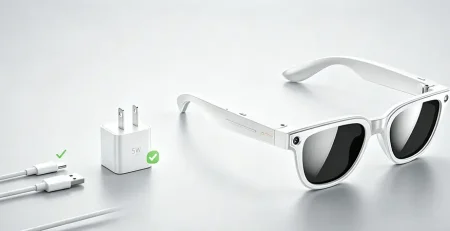
- Ditch high-power chargers: Use a basic 5V/1A or 5V/2A wall adapter (the old iPhone charger works great).
- Test the port with another device: If your phone won’t charge there, the port is dead.
For SpeCiC glasses specifically: The brand explicitly warns against third-party high-power chargers on their website—stick to the included 5V/2A adapter to avoid triggering safety shutoffs.
🔥 Hot Debate: Should Smart Glasses Brands Lock You Into Proprietary Chargers?
Here’s a question that splits the community: Is it fair that brands like SpeCiC, Ray-Ban Meta, and Bose make you buy their $30-$50 replacement cables when a $10 USB-C cable works for every other device you own?
Brands say proprietary magnetic chargers are safer, more durable, and fit perfectly. Critics call it ecosystem lock-in to cash in on accessories. What do you think—should smart glasses switch to universal USB-C, or are proprietary chargers worth the hassle?
2. The Cable Conundrum: Is Your Charging Cable Secretly Broken?
Your cable might look fine, but the thin copper wires inside break all the time—even without fraying. This is doubly true for smart glasses, which almost all use proprietary magnetic cables.
- Use the official cable, always: Third-party cables might snap on, but wrong pin configurations or cheap wiring kill charging.
- Swap cables if you can: Borrow a friend’s official cable—if it works, yours is dead.
- Check for hidden damage: Run your fingers along the ends—soft/squishy spots mean broken wires.
SpeCiC’s support page notes their magnetic cable is the most replaced part—constant snapping on/off and pocket wear kills it faster than the glasses themselves.
⚡ Sparked Discussion: Are Third-Party Cables Really That Dangerous?
Every brand warns you never to use third-party cables—but how big is the risk, really? Cheap uncertified cables can overheat, but there are MFi/USB-IF certified third-party cables that are just as safe as official ones, for half the price.
Is the warning just fear-mongering to sell accessories, or is the risk of a bad cable worth paying 3x more? Have you ever used a third-party cable with no issues—or a bad experience?
3. Clean The Charging Contacts: Dirt, Sweat, and Lint Are Your #1 Enemy
Your glasses live on your face—exposed to sweat, sunscreen, makeup, and pocket lint. All that gunk builds up on the tiny metal charging contacts, creating a barrier that stops electricity cold. This is the single most common cause of charging issues for every brand.
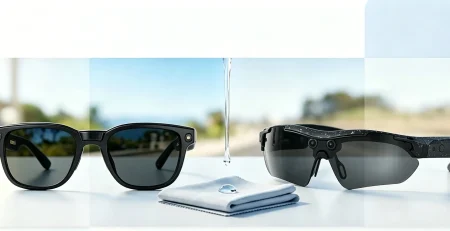
- Grab supplies: 70%+ rubbing alcohol, pointed cotton swabs, a clean soft-bristled toothbrush, and a lint-free cloth.
- Never use water/household cleaners: They corrode contacts. Never use sharp metal objects: They scratch pins.
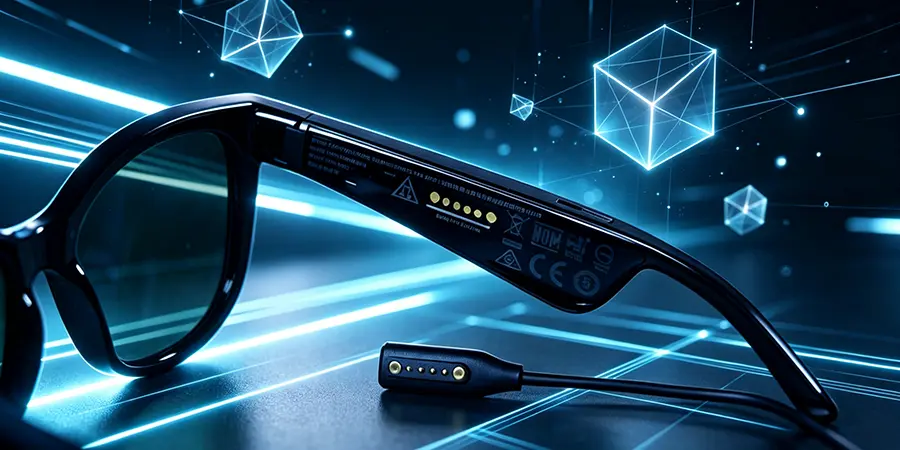
- Clean glasses contacts first: For SpeCiC, they’re on the inner right temple—rub gently in circles with a damp (not dripping) swab.
- Clean charger/case contacts too: Lint loves hiding in charging case slots—brush it out gently.
- Let everything dry fully: Wait 5-10 minutes before plugging back in.
SpeCiC recommends weekly cleaning if you wear glasses daily—sweat oxidizes gold-plated contacts fast, stopping charging before you notice.
4. Did You Actually Seat The Charger Correctly?
Magnetic chargers snap on with a satisfying click—but half the time, they’re slightly off. A tiny piece of lint or a tilted connector means contacts aren’t touching, even if the magnet holds it in place.
- Listen for the click: SpeCiC’s connector only fits one way—check the notch alignment.
- Check visually: Hold it up to light—no gaps between the connector and temple.
- Remove cases/skins: Even thin vinyl creates a gap big enough to stop charging.
5. Let It "Wake Up" From Deep Sleep
If you let your glasses sit for weeks completely dead, the battery enters “deep sleep mode”—a safety feature to prevent damage. When this happens, it won’t show any charging signs for 30-60 minutes.
- Plug into a known-good charger and leave it alone for 45 minutes—no checking, no unplugging.
- After 45 minutes, check for lights or power.
SpeCiC’s website confirms: If battery voltage drops below 3.2V, the protection circuit shuts it down entirely—only a 45+ minute charge wakes it up.
🤔 Food for Thought: Is Deep Sleep Mode a Feature or a Frustration?
Deep sleep protects your battery—but is it worth the panic? Forget to charge your glasses for a month, and you’re stuck waiting an hour just to see if they work.
Some users say they’d risk minor battery damage to skip the wait. Should brands make deep sleep optional, or is the safety trade-off non-negotiable?
Brand-Specific Fixes: Because Every Pair Has Quirks
The basics fix 70% of issues—but every brand designs frames differently. If you’re still stuck, here’s tailored help for the top brands, from hands-free smart glasses to audio-focused frames and camera-integrated models.
SpeCiC AI Smart Glasses: Tailored Fixes
SpeCiC has quickly become a fan favorite in the smart glasses space, thanks to their seamless AI integration, lightweight design, all-day battery life, and hands-free features that actually make your life easier. Unlike a lot of other AI powered smart glasses that try to do too much and end up doing nothing well, SpeCiC focused on building a pair of frames that act as a true AI sidekick—handling calls, navigation, translations, voice commands, and audio playback without feeling clunky or intrusive.
SpeCiC’s AI features run nonstop, so firmware glitches are a common culprit behind charging issues. Here’s what to do:
1. Force Restart (The Magic Glitch Fix)
90% of software-related charging issues are resolved with a force restart, and it won’t delete any of your paired devices or saved data:
- SpeCiC Standard: Hold the right temple multi-function button for 20 seconds—wait for the red/white LED flash sequence, then release the button.
- SpeCiC Pro: Hold both right temple buttons (multi-function + volume down) for 15 seconds—wait for the flash sequence, then release.
After the restart completes, plug the glasses into your official charger— the charging indicator should light up immediately.
2. Fix Firmware Bugs That Block Charging
Outdated firmware is one of the most overlooked causes of charging issues. SpeCiC regularly releases updates to fix bugs, optimize battery performance, and add new features. If your glasses turn on:
- Open the SpeCiC companion app, navigate to Settings > Firmware Update.
- Download and install any available updates—never close the app or disconnect the glasses mid-update.
If your glasses are completely dead: Complete the 45-minute deep sleep charge first, perform the force restart, then update the firmware as soon as they power on.
3. SpeCiC Portable Charging Case Fixes
If your official SpeCiC charging case won’t power your glasses, try these targeted fixes:
- Check the case battery: Press the front battery level button—no lights mean the case is fully drained. Plug it in with the official USB-C cable for 30 minutes to recharge.
- Clean the case contacts: Use a rubbing alcohol-dampened cotton swab to clean the internal charging pins, just like you did with the glasses.
- Reset the case: Hold the front battery button for 10 seconds until all LED lights flash together, then release. The case will reset automatically.
Ray-Ban Meta Smart Glasses: Fashion-Forward Fixes
Ray-Ban Meta frames only charge via their proprietary charging case, so troubleshooting starts with the case itself. Here’s what to check:
- Force Restart: Hold the right temple capture button for 20 seconds—LED flashes confirm a successful restart.
- Remove Protective Plastic: New users often leave the factory plastic film on the case and glasses contacts, which blocks charging entirely.
- Liquid Detection Alert: A flashing red case light means moisture was detected. Clean contacts with a dry swab and let the frames air-dry for 24 hours in a cool, dry space.
- Case Reset: Plug the case into a wall charger, then hold the back button for 15 seconds—yellow and green flashes mean the reset is complete.
Bose Frames: Audio-Focused Fixes
Bose Frames are beloved for their open-ear audio, and their charging issues usually tie back to cable or firmware problems. Here’s how to resolve them:
- Force Restart: Hold the right temple multi-function button for 10 seconds—an audio tone confirms the restart.
- Clean USB-C Port (Newer Models): Use a wooden toothpick to gently remove lint and debris from the charging port, being careful not to damage the internal pins.
- Temperature Protection Check: If the frames were exposed to extreme heat or cold, bring them to room temperature (60-75°F / 15-24°C) for 30 minutes before charging.
Amazon Echo Frames: Alexa-Powered Fixes
Echo Frames are built for Alexa users, and charging issues often stem from frozen software or dirty contacts. Try these fixes:
- Force Restart: Hold the shorter action button on the right temple for 15 seconds—red LED flashes confirm the restart.
- Deregister and Re-register: If the battery level reports incorrectly, deregister the frames from your Amazon account via the Alexa app, then set them up again as new.
- Manual Firmware Update: Check for updates in the Alexa app under your Echo Frames settings to resolve bug-related charging issues.
When To Call It Quits: Contact Official Support
If you’ve tried every fix in this guide and your glasses still won’t charge, it’s time to reach out to official support. Stop DIY troubleshooting if:
- Your glasses are still under the manufacturer’s warranty (1 year for most brands)—DIY repairs will void it.
- You see physical damage: Cracked temples, a swollen battery, or a burnt smell from the frames.
- Multimeter tests confirm a broken internal charging circuit or damaged motherboard.
For SpeCiC users: Start with the official support page on their website. They offer fast replacements for in-warranty frames, and affordable paid repair options for out-of-warranty devices.
At the end of the day, smart glasses charging issues are almost always fixable—start with the basics, stay calm, and don’t forget to weigh in on the debates above. Happy charging!