


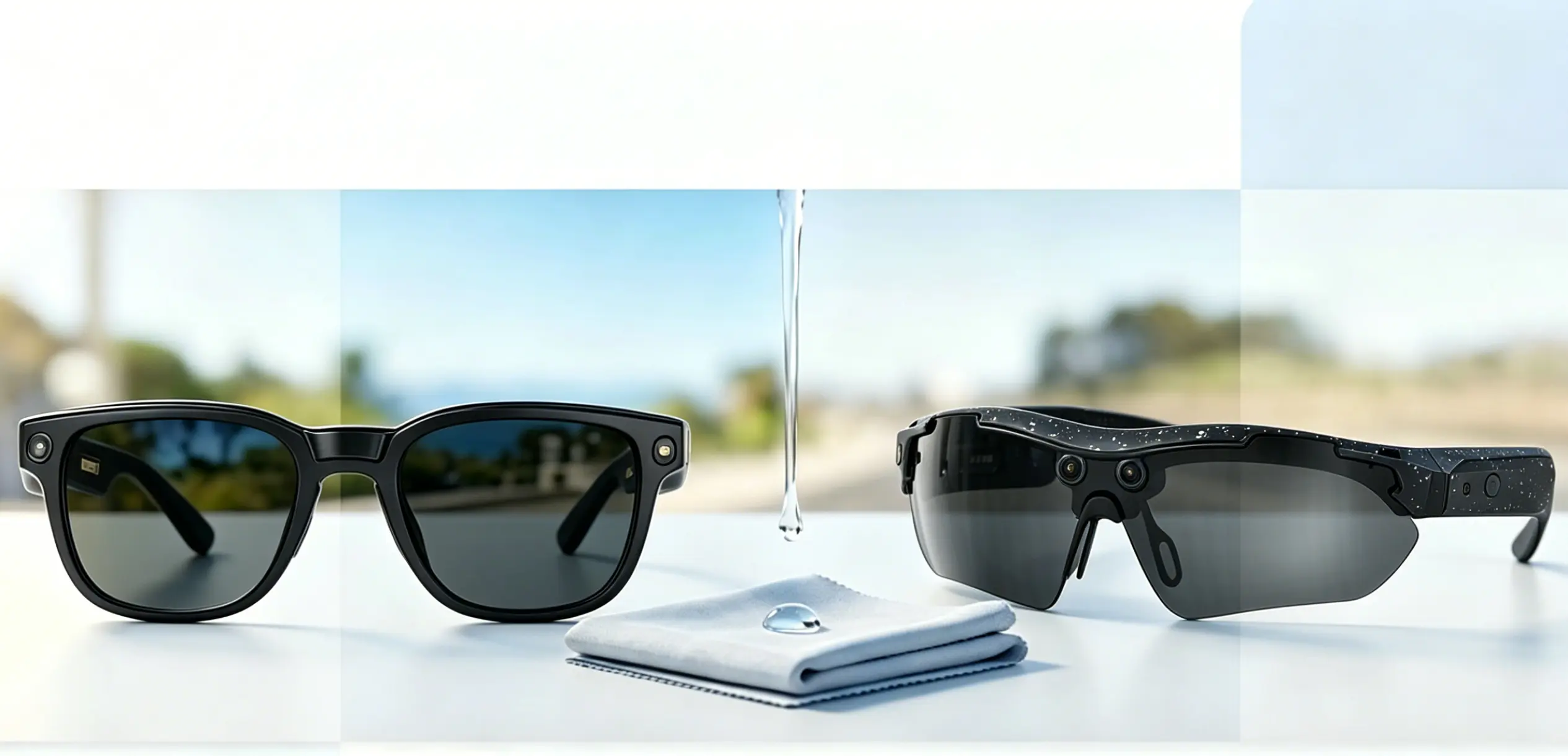
How to Maintain Smart Glasses Lenses to Keep Them Clear Longer?
SpeCiC-AI-Smart-Glasses2026-05-21T13:07:05+08:00How to Maintain Smart Glasses Lenses to Keep Them Clear Longer?
Let's be real for a second. You dropped some serious cash on your smart glasses because you wanted to live in the future—where you can take calls hands-free, listen to your favorite playlist, and capture life from your exact perspective without ever fumbling for your phone again. But there's one tiny, infuriating problem that's ruining your futuristic fantasy: smudged, scratched, foggy lenses.
You know exactly what I'm talking about. You're mid-important meeting, trying to glance at an important notification that just came through, but all you can see is the giant fingerprint you left on the lens when you adjusted your glasses this morning. Or you're out on a beautiful bike ride with your SpeCiC Riding POV Pro, ready to capture that epic golden-hour sunset for your Instagram, only to realize your lens is covered in road grime and sweat. The footage ends up looking like you filmed through a dirty window.
The truth is, smart glasses lenses aren't just regular glass. They're sophisticated pieces of technology with multiple layers of special coatings that reduce glare, protect your eyes, and ensure you have a crystal-clear view of the world around you. Treat them like your old $10 gas station sunglasses, and you'll be replacing them faster than you can say "Hey SpeCiC."
But here's the thing that no one tells you: almost everyone is cleaning their smart glasses wrong. And the worst part? We're all arguing about what the "right" way actually is. Is dry wiping really as bad as everyone says? Are those $50 cleaning kits just fancy snake oil? Should you clean your lenses every day, or is that actually doing more harm than good?
In this ultimate guide to how to maintain smart glasses lenses, we're going to settle these debates once and for all. We'll break down exactly why smart glasses lenses need extra care, show you the only tools you'll ever need, and walk you through the foolproof cleaning method that works every single time. We'll also share pro tips for avoiding scratches, give you specific advice for your SpeCiC Daily Lite and SpeCiC Riding POV Pro models, and tackle the most controversial lens care questions head-on.
By the end, you'll be a lens care expert. Your smart glasses will look and perform like new every single day. And you'll finally be able to stop arguing with your friends about whether using your shirt to clean your lenses is a cardinal sin or a perfectly acceptable shortcut.
Why Smart Glasses Lenses Are Different (And Need Extra Love)
Before we dive into the cleaning hacks and heated debates, let's take a minute to understand what makes smart glasses lenses so special—and so delicate. This isn't just boring science; it's the reason why your old cleaning habits are destroying your expensive glasses.
Unlike your grandma's reading glasses, smart glasses lenses are like high-tech sandwiches with multiple layers, each serving a specific purpose. Mess up one layer, and the whole thing stops working properly.
First, there's the base lens material. Most smart glasses, including all SpeCiC models, use polycarbonate lenses. There's a very good reason for this: polycarbonate is incredibly lightweight. When you're wearing something on your face for 8+ hours a day, every ounce counts. It's also shatter-resistant, which is a must for active use—especially if you're wearing your SpeCiC Riding POV Pro while mountain biking or skiing.
But here's the catch that almost no one mentions: polycarbonate scratches way easier than glass. Like, way easier. That means even a tiny grain of sand, invisible to the naked eye, can leave a permanent mark on your lens if you drag it across the surface. And once that scratch is there, it's there forever.
Then there are the coatings. Oh, the coatings! This is where the magic happens—and where most people mess up. Your SpeCiC lenses come with five advanced coatings, all working together to give you the best possible experience:
- Anti-Reflective (AR) Coating: This is the single most important coating for smart glasses. It cuts down on harsh glare from sunlight, computer screens, and car headlights, so you can see clearly in any lighting condition. It also prevents weird glares from showing up in the photos and videos you take with your SpeCiC camera. Without this coating, driving in bright sunlight or working at your computer all day would be a constant struggle with eye strain.
- Anti-Scratch Hard Coat: This thin layer helps protect the soft polycarbonate underneath from everyday wear and tear. But let's be clear about one thing: "anti-scratch" does NOT mean "scratch-proof." It just means it's more resistant than bare polycarbonate. You can still scratch it if you're not careful.
- Oleophobic (Oil-Repellent) Coating: This is the coating that makes fingerprints slide right off your lenses. It's what makes cleaning smudges so much easier than on regular glasses. But over time, this coating will wear off—especially if you use the wrong cleaning products.
- Hydrophobic (Water-Repellent) Coating: Especially important for the SpeCiC Riding POV Pro, this coating makes water bead up and roll off your lenses. It means you can see clearly even in light rain, and sweat won't leave streaks all over your view.
- Blue Light Filter: The SpeCiC Daily Lite comes with a built-in blue light filter to reduce eye strain during long hours of screen time. This is another delicate coating that can be damaged by harsh chemicals.
Now, imagine all these layers working together perfectly to give you that seamless, comfortable all-day experience. Now imagine spraying them with Windex or wiping them with your dirty cotton t-shirt. Yeah, that's not going to end well.
The problem is that most of us have been cleaning our regular glasses wrong our entire lives. We use whatever's handy—paper towels, napkins, our sleeves, even window cleaner. And while that might work okay for cheap sunglasses that you replace every summer, it's a disaster for smart glasses lenses. Those rough paper fibers scratch the anti-reflective coating, and the harsh chemicals in window cleaner strip away the oleophobic and hydrophobic layers.
The good news is that taking care of your smart glasses lenses isn't hard. It just requires a few simple habits and the right tools. But first, let's tackle the most controversial question in all of smart glasses lens care.
Controversy #1: Is Dry Wiping Your Lenses Really an Unforgivable Sin?
If you've ever read any lens care guide before, you've probably seen this warning screamed at you in all caps: NEVER DRY WIPE YOUR LENSES. EVER.
But let's be honest. We've all done it. You're out and about, you see a smudge on your lens, and you grab your shirt and give it a quick wipe. And if you're like most people, you've probably done it hundreds of times without any obvious damage.
So what's the truth? Is dry wiping really as bad as the experts say? Or is it just a scare tactic to get you to buy expensive cleaning products?
The answer, as with most things, is somewhere in the middle.
Here's the science: when you dry wipe a lens, any dust or dirt particles on the surface get dragged across the coating. Those particles are often harder than the anti-scratch coating, so they leave tiny micro-scratches. You might not see them after one wipe, but over time, they build up. Eventually, your lenses will look hazy and scratched, even if you never dropped them or had a major accident.
But—and this is a big but—this only happens if there's actually dirt on the lens. If your lens is completely clean except for a light fingerprint, a quick wipe with a clean microfiber cloth is unlikely to cause any damage.
The problem is that most of the time, there is invisible dust on your lens. Especially if you've been outside. So even if it looks clean, there might be tiny sand particles just waiting to scratch your coating.
So here's our controversial take: dry wiping isn't always bad. But it's a risky habit. And the more you do it, the higher your chances of damaging your lenses.
What do you think? Have you ever dry wiped your lenses and gotten away with it? Or have you learned the hard way?
The Only Tools You Need for Perfectly Clean Lenses
Now that we've settled that debate (sort of), let's talk about what you should use to clean smart glasses lenses. You don't need a fancy $50 cleaning kit with 10 different tools. In fact, you probably already have most of what you need at home.
Here's the ultimate lens care toolkit, broken down into essentials and nice-to-haves:
The Essentials (You Absolutely Cannot Live Without These)
-
A High-Quality Microfiber Cloth
This is non-negotiable. Microfiber is the only material that's soft enough to clean your lenses without scratching them. The tiny fibers trap dirt and oil instead of dragging them across the surface, which is exactly what you want.
Your SpeCiC glasses came with a microfiber cloth in the box—use it! It's specifically designed for your lenses. And if you lose it, buy a replacement that's specifically designed for eyeglasses or camera lenses. Avoid the cheap microfiber cloths you get for free at the gas station or grocery store. They're often made with lower-quality fibers that are too rough and can actually scratch your lenses.
-
Lotion-Free, Fragrance-Free Dish Soap
That's right. The same stuff you use to wash your dishes works wonders on smart glasses lenses. It cuts through oil and grease better than almost any lens cleaning spray, and it's completely safe for all your lens coatings.
Just make sure it's lotion-free and fragrance-free. The lotions and perfumes in fancy dish soaps can leave a thin, streaky film on your lenses that's almost impossible to remove. A simple, clear dish soap like Dawn Original is perfect.
-
Lukewarm Tap Water
Unless you have extremely hard water with lots of minerals, regular tap water works fine. If you do have hard water, you might want to use distilled water instead to avoid mineral deposits on your lenses. But for most people, tap water is more than good enough.
The Nice-to-Haves (Convenient But Not Necessary)
-
Lens Cleaning Spray
If you don't want to use dish soap, a good lens cleaning spray is a great alternative. It's convenient, and it works well for light smudges. Just make sure it's specifically formulated for coated eyeglass lenses. Avoid any sprays that contain alcohol, ammonia, or bleach—these will damage your coatings.
The SpeCiC official store sells a lens cleaning spray that's perfectly safe for all SpeCiC models. It's affordable, and it comes in a small bottle that's easy to carry in your bag.
-
Pre-Moistened Lens Wipes
These are super convenient for on-the-go cleaning. They're individually wrapped, so you can keep a few in your bag, your car, or your desk at work. Again, make sure they're designed for coated lenses and don't contain alcohol.
-
A Small, Soft-Bristled Lens Brush
A lens brush is perfect for removing loose dust and debris from your lenses before you wipe them. This is especially useful if you've been outside in dusty conditions or if you have pets that shed. It helps prevent those dust particles from scratching your lenses when you wipe them.
-
Compressed Air
A can of compressed air can blow away dust and dirt from hard-to-reach places, like between the lens and the frame, or around the camera lens on your SpeCiC Riding POV Pro. Just make sure to hold the can upright and at least 6 inches away from your glasses to avoid spraying propellant on your lenses.
The Forbidden Tools (Never Use These—We Mean It)
I can't stress this enough. These items will destroy your smart glasses lenses faster than anything else. If you're using any of these, stop immediately.
- Paper Towels, Napkins, or Tissues: These are made from wood pulp, which has rough, jagged fibers that scratch your lenses. Even the softest, plushest tissue will leave micro-scratches that build up over time.
- Your Shirt, Pants, or Any Other Clothing: Your clothes are covered in dirt, dust, and oils that will smudge your lenses and cause scratches. And if you're wearing a cotton shirt, those cotton fibers are just as bad as paper towels.
- Window Cleaner, Glass Cleaner, or All-Purpose Cleaners: These contain harsh chemicals like ammonia and alcohol that strip away your lens coatings. Windex is the number one enemy of smart glasses lenses.
- Vinegar, Bleach, or Other Household Chemicals: These are even worse than window cleaner. They will permanently damage your lenses and frames.
- Toothpaste: I've heard people recommend using toothpaste to remove scratches. Don't do it! Toothpaste is abrasive and will scratch your lenses even more.
- Ultrasonic Cleaners: While ultrasonic cleaners are great for jewelry, they're not safe for smart glasses. The high-frequency vibrations can damage the internal electronics and loosen the lenses from the frame. SpeCiC explicitly warns against using ultrasonic cleaners on all their models.
Controversy #2: Are Expensive Lens Cleaning Kits Just a Big Scam?
Walk into any eyeglass store, and you'll see rows and rows of lens cleaning kits. Some cost $20, some cost $50, and some even cost more than $100. They come with fancy sprays, multiple microfiber cloths, lens brushes, and sometimes even little screwdrivers.
But are they actually worth the money? Or are they just a way for eyeglass stores to make extra profit?
This is another question that sparks heated debates among lens care enthusiasts. Some people swear by their expensive cleaning kits, saying they work better than anything else. Others say they're a complete waste of money, and that dish soap and a microfiber cloth work just as well.
Our take? Most expensive lens cleaning kits are overpriced. But that doesn't mean they're completely useless.
Here's the thing: the cleaning spray in those expensive kits is usually just water and a small amount of surfactant—exactly the same ingredients you'll find in a $5 bottle of generic lens cleaning spray. The microfiber cloths are often higher quality than the cheap ones, but you can buy equally good microfiber cloths online for a fraction of the price.
That said, there are some benefits to buying a kit. They're convenient—you get everything you need in one package. And if you're someone who loses things easily, having a dedicated kit that stays in one place can be helpful.
But if you're on a budget, you absolutely don't need to spend $50 on a cleaning kit. A $5 microfiber cloth and a bottle of Dawn dish soap will work just as well, if not better.
Have you ever bought an expensive lens cleaning kit? Was it worth the money, or did you feel ripped off?
The Step-by-Step Guide to Cleaning Your Smart Glasses Lenses
Cleaning your lenses the right way only takes about 30 seconds. But it will make a world of difference in how long they last. This is the foolproof method that works for all SpeCiC models, and it's the same method used by professional opticians.
-
Wash Your Hands Thoroughly
This is the most important step that almost everyone skips. Before you touch your glasses, wash your hands with lotion-free soap and dry them with a lint-free towel. You don't want to transfer dirt, oil, or lotion from your hands onto your clean lenses.
Think about it: you just touched your phone, your keyboard, and the doorknob. All of those things are covered in bacteria and oil. Do you really want that on your glasses?
-
Power Off Your Glasses
Always turn off your smart glasses before cleaning them. This prevents accidental button presses and protects the internal electronics from moisture. For SpeCiC models, simply hold down the power button until the LED light turns off.
-
Rinse Your Lenses Under Lukewarm Water
Hold your glasses under a gentle stream of lukewarm water. This removes any loose dust, dirt, or debris from the surface of the lenses. Rinsing first is crucial because it prevents these particles from scratching your lenses when you wipe them.
Avoid using hot water—high temperatures can weaken your lens coatings and damage the frame. And don't use a strong jet of water, as this can force water into the internal electronics.
-
Apply a Tiny Drop of Dish Soap
Put one small drop of lotion-free dish soap on each lens. You don't need much—too much soap will be hard to rinse off and leave streaks. A drop about the size of a pinhead is perfect.
-
Gently Rub the Lenses and Frame
Using your fingertips, gently rub the front and back of each lens in a circular motion. Be careful not to press too hard—you don't want to bend the frame or scratch the lenses.
While you're at it, clean the entire frame, including the nose pads, temples, and around the camera lens on your SpeCiC Riding POV Pro. Oil and dirt build up on these parts too, and they can transfer to your lenses when you put your glasses on.
-
Rinse Thoroughly
Rinse all the soap off your glasses under lukewarm water. Make sure to get all the soap residue off—any leftover soap will cause streaks when you dry the lenses.
-
Shake Off Excess Water
Gently shake your glasses to remove most of the water. You can also use a clean, dry microfiber cloth to pat the frame dry.
-
Dry the Lenses with a Clean Microfiber Cloth
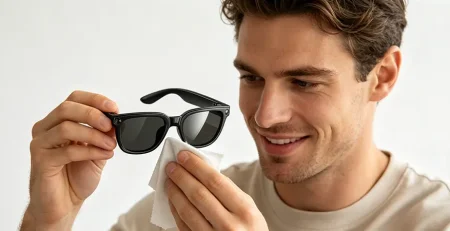
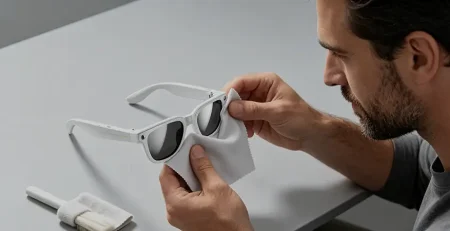
Take your clean microfiber cloth and gently pat the lenses dry. Avoid rubbing back and forth—instead, use a blotting motion or gentle circular motions. Make sure the cloth is clean—if it's dirty, it will just smudge the lenses.
-
Inspect Your Lenses
Hold your glasses up to a bright light and inspect the lenses for any remaining smudges or streaks. If you see any, use a clean part of the microfiber cloth to gently buff them away.
That's it! Your lenses should now be perfectly clean and streak-free. For daily cleaning, this method is all you need. But what about when you're on the go and don't have access to soap and water?
On-the-Go Cleaning: What to Do When You're Away from Home
We've all been there. You're out at a coffee shop, or walking down the street, and suddenly you notice a huge smudge on your lens that's blocking your view. You don't have soap and water, and you're tempted to use your shirt. Resist the urge!
Here are the three safe ways to clean your lenses when you're away from home:
Option 1: Use Pre-Moistened Lens Wipes
This is the easiest and most convenient option. Keep a pack of lens-safe pre-moistened wipes in your bag, your car, or your desk. Simply take one out, gently wipe your lenses, and let them air dry.
Just make sure the wipes are specifically designed for coated eyeglass lenses and don't contain alcohol. Alcohol-free wipes are safe for all your lens coatings and won't strip away the oleophobic layer.
Option 2: Use Your Microfiber Cloth (With Caution)
If you have your microfiber cloth with you, you can use it to clean light smudges. But remember our earlier warning about dry wiping.
First, gently blow on the lens as hard as you can to remove any loose dust. Then, use the cloth to gently wipe the smudge away in a circular motion. Never dry-wipe a lens that has visible dirt or debris on it—this will definitely scratch the coating.
Option 3: Breathe on the Lens
If you don't have any wipes, you can breathe on the lens to create a thin layer of moisture. Then, use your microfiber cloth to gently wipe it clean. This works well for light fingerprints and smudges, but it's not as effective as the soap and water method for heavy dirt.
What to Avoid When Cleaning On-the-Go
- Never use your shirt, pants, or any other clothing.
- Never use paper towels, napkins, or tissues.
- Never use hand sanitizer to clean your lenses.
- Never use saliva to moisten the lens. Yes, I've seen people do this. It's gross, it's unhygienic, and it leaves smudges.
Now that you know how to clean your lenses properly, let's talk about how to prevent them from getting dirty and scratched in the first place. An ounce of prevention is worth a pound of cure, right? But first, let's tackle another controversial question.
Controversy #3: Should You Clean Your Lenses Every Day? Or Is Over-Cleaning Actually Worse?
Here's a question that divides even the experts: how often should you clean your smart glasses lenses?
Some people say you should clean them every single morning, without fail. Others say you should only clean them when they're visibly dirty, because every time you wipe them, you're wearing away the oleophobic coating.
So who's right?
Again, the answer is somewhere in the middle.
On one hand, letting dirt and oil build up on your lenses is bad. The oil can break down the lens coatings over time, and the dirt can scratch the lenses when you eventually do clean them.
On the other hand, every time you wipe your lenses, even with a clean microfiber cloth, you're causing tiny amounts of wear on the oleophobic coating. Over time, this wear adds up, and the coating will eventually wear off.
So our recommendation is this: clean your lenses when they're dirty. Not every day, not every hour—only when you can see smudges or dirt that's affecting your vision.
For most people, this will be about once every 1-2 days. If you work in a dusty environment or you wear your glasses while exercising, you might need to clean them more often. If you mostly wear them indoors in a clean office, you might be able to go 3-4 days between cleanings.
The key is to avoid unnecessary wiping. If you can still see clearly and there are no visible smudges, leave them alone. Your oleophobic coating will thank you.
How often do you clean your glasses? Are you a daily cleaner, or do you wait until they're really dirty?
How to Prevent Scratches and Keep Your Lenses Clear Longer
Cleaning your lenses correctly is important, but preventing damage is even better. These simple habits will keep your SpeCiC lenses looking like new for years, and they'll save you from having to replace your lenses prematurely.
1. Never Touch Your Lenses with Your Fingers
This is the number one cause of smudges and fingerprints. The oil on your skin transfers to the lens every time you touch it, and those smudges are hard to remove.
When you're putting on or taking off your glasses, hold them by the temples (the side arms) or the bridge of the nose—never by the lenses. If you need to adjust your glasses while you're wearing them, use the nose pads or the temples. It might feel awkward at first, but it will become a habit quickly.
2. Always Store Your Glasses in a Hard-Shell Case
When you're not wearing your glasses, put them in their case. This protects them from scratches, dust, and accidental damage. Never leave them lying around on a table, counter, or desk—they can easily get knocked off and scratched, or someone might sit on them.
The SpeCiC Daily Lite and SpeCiC Riding POV Pro both come with a custom hard-shell case that's designed to fit perfectly. Use it! And make sure the inside of the case is clean—if it's full of dust and dirt, it will scratch your lenses every time you put them in.
3. Don't Put Your Glasses Face Down
This is another common mistake that almost everyone makes. When you set your glasses down on a surface, always put them with the lenses facing up. Putting them face down scratches the lenses against the surface, even if it looks clean.
If you're going to set them down for more than a minute, just put them in their case. It takes two seconds and saves you a lot of trouble.
4. Avoid Extreme Temperatures
Extreme heat and cold can damage your lens coatings and warp the frame. Never leave your smart glasses in a hot car—temperatures inside a car can reach over 150°F (65°C) on a sunny day, which is enough to melt the glue holding the lenses in place and damage the internal electronics.
Also, avoid leaving them in very cold places for long periods of time. Extreme cold can make the lens coatings brittle and more prone to cracking.
5. Keep Them Away from Chemicals
Harsh chemicals can strip away your lens coatings and damage the frame. Avoid wearing your smart glasses when you're using cleaning products, paint, or other chemicals. If you do get chemicals on your lenses, rinse them off immediately with lukewarm water.
Also, be careful with hairspray, perfume, and sunscreen. These products can leave a sticky film on your lenses that's hard to remove. If you're going to use any of these products, take your glasses off first.
6. Clean Your Microfiber Cloth Regularly
Your microfiber cloth gets dirty over time, and a dirty cloth will just smudge your lenses instead of cleaning them. You should wash your microfiber cloth at least once a week.
To wash it, simply put it in the washing machine with your regular laundry. Use a mild detergent and wash it on a gentle cycle. Don't use fabric softener or dryer sheets—these leave a residue on the cloth that will transfer to your lenses. Air dry the cloth or put it in the dryer on a low heat setting.
7. Get Regular Check-Ups
Just like your regular glasses, your smart glasses need regular check-ups. Take them to an optician every six months to have the screws tightened, the nose pads adjusted, and the lenses inspected for damage. A loose screw can cause the lenses to shift, which can affect your vision and the overall comfort of wearing your glasses all day.
SpeCiC also offers a lens replacement service if your lenses do get scratched or damaged. It's much cheaper than buying a whole new pair of glasses.
Now, let's talk about specific care tips for your SpeCiC models. The Daily Lite and Riding POV Pro have different features and are used in different environments, so they require slightly different care. But first, let's tackle our final controversial question.
Controversy #4: If My Glasses Are Water-Resistant, Can I Just Rinse Them Under the Tap Whenever I Want?
This is a question that comes up all the time, especially with the SpeCiC Riding POV Pro, which has an IP54 water and dust resistance rating. Many people think that because their glasses are water-resistant, they can just rinse them under the tap whenever they get dirty, no problem.
But is that actually true?
The short answer is: it depends.
The IP54 rating means that the SpeCiC Riding POV Pro is protected against splashing water from any direction. It can handle light rain, sweat, and accidental splashes. But it's not waterproof. It's not designed to be submerged in water, and it's not designed to be sprayed with a high-pressure jet of water.
So can you rinse it under the tap? Yes, but only if you do it carefully. Use a gentle stream of lukewarm water, and don't spray it directly into the charging port or the speaker grilles. And make sure to dry it thoroughly afterwards.
But here's the thing: even if your glasses are water-resistant, frequent exposure to water can still cause damage over time. Water can seep into the tiny gaps in the frame and cause the internal electronics to corrode. It can also cause the lens coatings to degrade faster.
So our recommendation is this: don't rinse your glasses under the tap unless they're actually dirty. If they just have a few smudges, use a microfiber cloth or a lens wipe instead. Save the tap rinsing for when they're covered in mud or road grime.
And remember: the SpeCiC Daily Lite is only splash-resistant, not water-resistant. You should never rinse it under the tap. If it gets wet, dry it immediately with a clean microfiber cloth.
Do you rinse your water-resistant glasses under the tap? Have you ever had any problems from doing so?
SpeCiC Daily Lite: Care Tips for Everyday Wear
The SpeCiC Daily Lite is designed for all-day, everyday use. It's lightweight, comfortable, and perfect for work, school, or running errands. It's the glasses you put on in the morning and take off at night, seamlessly integrating with your life to keep you connected without pulling you away from the world around you. So it's extra important to take good care of it.
Here are some specific care tips for your Daily Lite:
1. Clean the Blue Light Filter Coating Gently
The Daily Lite comes with a built-in blue light filter coating that reduces eye strain during long hours of screen time. This coating is slightly more delicate than the other coatings, so be extra gentle when cleaning the lenses. Avoid pressing too hard, and never use any harsh chemicals.
2. Keep the Charging Contacts Clean
The Daily Lite charges via magnetic contacts on the temples. Over time, dirt and oil can build up on these contacts, which can prevent the glasses from charging properly. To clean them, use a dry cotton swab to gently wipe the contacts. Never use liquid cleaners on the charging contacts.
3. Avoid Wearing Them in the Shower or Pool
While the Daily Lite is splash-resistant, it's not waterproof. Never wear it in the shower, pool, or ocean. Water can damage the internal electronics and cause the lenses to fog up from the inside.
4. Clean the Speaker Grilles Regularly
The Daily Lite has built-in open-ear speakers in the temples that deliver clear, immersive sound without blocking out the world around you. Over time, dust and earwax can build up in the speaker grilles, which can affect the sound quality. To clean them, use a soft-bristled brush to gently brush away the debris. Never use a cotton swab, as the cotton can get stuck in the grilles.
SpeCiC Riding POV Pro: Care Tips for Active Use
The SpeCiC Riding POV Pro is built for adventure. It's more durable than the Daily Lite, with an IP54 water and dust resistance rating, and it's perfect for cycling, hiking, and other outdoor activities. Its built-in high-definition POV camera lets you capture every moment from your exact perspective, so you never miss a shot. But that doesn't mean it's indestructible.
Here are some specific care tips for your Riding POV Pro:
1. Clean the Camera Lens Carefully
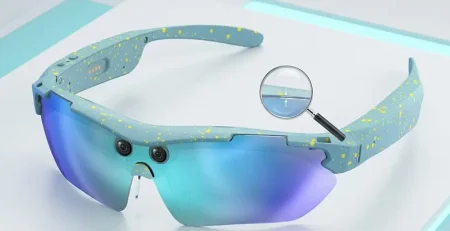
The Riding POV Pro has a high-definition POV camera built into the frame. The camera lens is just as delicate as the main lenses, so be extra careful when cleaning it. Use a lens brush to remove loose dust, then gently wipe it with a clean microfiber cloth. Never touch the camera lens with your fingers—the oil from your skin will leave permanent smudges on your footage.
2. Rinse Off Dirt and Mud Immediately After Outdoor Use
If you've been riding on dirt roads or trails, your glasses will probably be covered in mud and grime. As soon as you get home, rinse them off with lukewarm water to remove the dirt. Don't let the mud dry on the lenses, as it can scratch the coating when you wipe it off.
3. Dry Them Thoroughly After Getting Wet
While the Riding POV Pro is splash-resistant, it's still important to dry it thoroughly after getting wet. Use a clean microfiber cloth to pat the frame and lenses dry. Pay special attention to the charging contacts, the camera lens, and the speaker grilles.
4. Replace the Nose Pads Regularly
The Riding POV Pro comes with interchangeable nose pads for a secure, non-slip fit during active use. Over time, the nose pads can wear out and become less comfortable and less effective at keeping your glasses in place. Replace them every 3-6 months, or whenever they start to feel worn.
5. Store Them in a Clean, Dry Place
After cleaning your Riding POV Pro, store them in their hard-shell case in a clean, dry place. Don't store them in a damp basement or garage, as moisture can damage the internal electronics and cause the lens coatings to degrade faster.
How to Deal with Common Lens Problems
Even with the best care, you might encounter some common lens problems. Here's how to fix them quickly and easily:
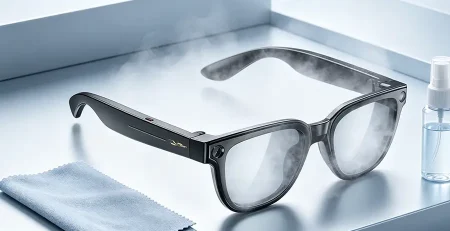
Foggy Lenses
Foggy lenses are the bane of every glasses wearer's existence. They happen when warm, moist air hits the cold surface of the lens, causing condensation. This is especially common when you go from a cold environment to a warm one, or when you're exercising and sweating.
Here's how to prevent and fix foggy lenses:
- Use an anti-fog spray that's safe for coated lenses. Simply spray a small amount on the lens and wipe it off with a clean microfiber cloth.
- Avoid breathing on your lenses to clean them—this just makes them fog up.
- Use a headband to absorb sweat and keep it from dripping onto your lenses.
- Adjust the nose pads to create a small gap between the lens and your face, which allows air to circulate.
Scratched Lenses
Unfortunately, once a lens is scratched, there's no way to repair it. The scratch is permanent. But there are some things you can do to minimize the appearance of small scratches:
- Use a scratch filler product that's specifically designed for eyeglass lenses. These work by filling the scratch with a clear material that has the same refractive index as the lens.
- If the scratches are deep or they're affecting your vision, the best option is to replace the lenses. SpeCiC offers affordable lens replacement for both models.
Peeling Coatings
If you notice that your lens coatings are peeling or flaking off, that's a sign that they've been damaged. This usually happens from using harsh chemicals, cleaning with abrasive materials, or exposing the lenses to extreme temperatures.
Unfortunately, peeling coatings can't be repaired. The only solution is to replace the lenses. To prevent this from happening, always use the proper cleaning tools and methods.
Stubborn Smudges and Stains
Sometimes, you might encounter a smudge or stain that just won't come off with regular cleaning. This could be from sunscreen, makeup, or food. Here's how to remove it:
- Use a little more dish soap and gently rub the stain with your fingertips.
- Use a lens cleaning pen, which has a soft tip that's perfect for removing stubborn stains.
- If the stain still won't come off, take your glasses to an optician. They have special cleaning solutions that can remove even the toughest stains.
The Ultimate Lens Care Routine
To make things easy for you, here's a simple daily, weekly, and monthly lens care routine that will keep your SpeCiC lenses looking and performing like new:
Daily Routine
- Inspect your lenses for smudges or dirt. Clean them only if necessary.
- Always store your glasses in their case when you're not wearing them.
- Avoid touching the lenses with your fingers.
Weekly Routine
- Wash your microfiber cloth.
- Clean the charging contacts with a dry cotton swab.
- Clean the speaker grilles and camera lens with a soft-bristled brush.
Monthly Routine
- Inspect your lenses for scratches, peeling coatings, or other damage.
- Tighten any loose screws on the frame.
- Clean the inside of your glasses case.
Conclusion: Your Lenses Deserve Love Too
Your smart glasses are more than just a gadget—they're your constant companion that keeps you connected without pulling you away from the world around you. They let you take calls while you're cooking, listen to music while you're walking, and capture amazing memories while you're out exploring. But to keep them working their best, you need to take care of them.
Taking care of your SpeCiC lenses isn't hard. It just requires a few simple habits and the right tools. By following the advice in this guide, you'll keep your lenses crystal clear for years to come. You'll avoid scratches, smudges, and fog, and you'll get the most out of your smart glasses experience.
We've tackled the most controversial lens care questions head-on, and we've given you the facts you need to make your own decisions. Whether you're a die-hard "never dry wipe" purist or a "shirt wipe is fine in a pinch" realist, the most important thing is to be careful and use common sense.
Now, if you'll excuse me, I need to go clean my own SpeCiC Daily Lite. I just noticed a huge fingerprint on the lens that's blocking my view of the comment section. Oops.




Join the Debate!
Now, we want to hear from you. What's your most controversial lens care habit? Do you dry wipe your lenses? Have you ever bought an expensive cleaning kit that you thought was a scam? Have you ever ruined a pair of glasses with a stupid cleaning mistake?
Drop a comment below and share your thoughts. Let's keep the debate going. And if you found this guide helpful, share it with your friends who also wear smart glasses. They'll thank you when their lenses stay clear longer.