

Does Wearing Smart Glasses Affect Sleep? (Blue Light & Usage Time)?
SpeCiC-AI-Smart-Glasses2026-04-24T21:28:30+08:00Does Wearing Smart Glasses Affect Sleep? (Blue Light & Usage Time)
Let’s cut straight to the dumbest thing I’ve done this month: I’ve fallen asleep wearing my smart glasses. Not once, not twice, but three times. The first time, I was binging a niche true-crime podcast about stolen garden gnomes (don’t judge—they’re weirdly compelling). The second, I was answering a last-minute Slack thread about whether office plants qualify as “team members.” The third, I was scrolling TikTok… no, wait—no, I *wasn’t* scrolling TikTok. That’s the point of my glasses, right? To avoid staring at my phone until my eyes burn? But even with that, I woke up at 2 AM with a weird indent on my temple, my glasses askew, and a sudden, existential panic: Is this thing secretly answering the question: do smart glasses affect sleep?
If you’re reading this, you’ve probably had that same 2 AM spiral. You love your smart glasses—they let you snap 4K photos of your dog mid-sneeze without fumbling for a phone, listen to audiobooks while walking your dog without blocking out traffic, and look way cooler than the person at the coffee shop holding their phone 2 inches from their face to read a text. But you’ve also seen the clickbait headlines: “Smart Glasses Are Destroying Your Circadian Rhythm!” “Blue Light From Wearables Will Turn You Into a Groggy Zombie!” “Throw Away Your Smart Glasses If You Want to Sleep Past 5 AM!”
Blue light isn’t the sleep-stealing boogeyman everyone makes it out to be. In fact, banning all blue light after 7 PM might be *worse* for your long-term sleep and mood than using smart glasses responsibly.
The truth, as always, is way messier, way more interesting, and way less likely to get you to throw away a $200+ piece of tech. Yes, smart glasses *can* affect your sleep. But no, they’re not some evil device designed by tech bros to keep you up all night buying more smart glasses. The real story is about balance, understanding how different technologies work (and don’t work), and making tiny, low-effort adjustments that let you keep snapping dog sneeze photos *and* waking up feeling like a human being.
In this 4,000+ word deep dive, we’re going to separate fact from TikTok fiction. We’ll talk about what blue light *actually* is (spoiler: it’s not all artificial, and it’s not all bad), how different smart glasses brands handle it (including SpeCiC, Ray-Ban Meta, XReal, and a few wildcards), and why the *time* you wear your glasses matters 10x more than the light they emit. We’ll also throw in a few more controversial takes to get you arguing with your friends in the comments, and brand-specific, no-BS solutions that don’t involve buying a $100 pair of amber-tinted “sleep glasses” that make you look like you’re about to watch a 1970s horror movie.
Have you ever fallen asleep wearing smart glasses, headphones, or another wearable? Drop a 🔥 in the comments if yes, a ❄️ if no, and a 🤔 if you’re not sure (we’ve all blacked out mid-podcast once).
The Great Blue Light Myth: What the Clickbait Headlines Leave Out
Let’s start with the science—but don’t worry, I’ll keep it as painless as possible. No graphs, no jargon, just garden gnome-level simplicity.
Blue light is a type of visible light with a short wavelength and high energy. It’s everywhere. The sun is the single biggest source of blue light on the planet. That’s right—your phone emits *way* less blue light than the sun on a cloudy day. If blue light was inherently evil, we’d all be walking around with permanent insomnia, and coffee shops would be charging $50 for a latte.
So why does everyone talk about blue light and sleep problems? Because our bodies use light to regulate our circadian rhythm—the internal 24-hour clock that tells us when to wake up, when to eat, and when to stop scrolling TikTok and go to bed. Specifically, there are tiny cells in the back of our eyes called ipRGCs (I promise that’s the only jargon I’ll use) that don’t help us see, but they *do* detect light and send signals to our brain’s pineal gland.
The pineal gland’s only real job is to make melatonin—the hormone that makes you feel sleepy. When ipRGCs detect a lot of blue light (specifically in the 460-480nm range), they tell the pineal gland to hit the brakes on melatonin production. That’s *great* during the day! It helps us stay alert, focused, and not fall asleep at our desks during that 2 PM garden gnome team meeting. But at night, when we’re supposed to be winding down, too much of this specific blue light can trick our brain into thinking it’s still 10 AM on a sunny Saturday.
Brightness matters *way* more than color when it comes to suppressing melatonin. A bright white overhead light will mess with your sleep just as much as a bright blue phone screen—and a dim blue light might not mess with it at all.
Here’s the part no one selling amber-tinted glasses wants you to know: multiple studies have found that green light can be just as disruptive to melatonin production as blue light when it’s bright enough. And even red light—yes, the “sleep-friendly” red light—can suppress melatonin if it’s bright enough and you’re exposed to it long enough.
Another myth: all blue light is bad. Actually, blue light during the day is *essential* for good health. It helps regulate your circadian rhythm long-term, improves your mood, boosts your cognitive function, and even helps your body produce vitamin D (indirectly, but still). Banning all blue light after 7 PM might make you feel sleepy faster *tonight*, but over time, it could throw your entire circadian rhythm out of whack, making it harder to wake up in the morning and stay alert during the day.
So where do smart glasses fit into all this? Well, they’re electronic devices, so they do emit some light—but the amount varies *wildly* depending on the brand and model. Some smart glasses have built-in displays that emit a lot of light (including blue light). Others don’t have displays at all, so they don’t emit any light of their own. And some—like SpeCiC—take a completely different, low-key approach that we’ll talk about in detail later.
Smart Glasses vs. Phones vs. Laptops vs. TVs: Which Is *Actually* the Worst for Sleep?
Let’s be 100% real for a second. If you’re worried about smart glasses ruining your sleep, you should probably be *way* more worried about your phone. Like, 100x more worried. Maybe 1000x.
Think about it. How many hours a day do you spend staring at your phone? Be honest—don’t lie to yourself. The average American spends about 3.5 hours a day on their phone, and that number jumps to 5+ hours for teenagers and young adults. How many of those hours are in the 2-3 hours before bed? Probably a lot. Now compare that to how many hours you spend wearing your smart glasses. For most people, it’s not even close.
But let’s do a fair, apples-to-apples comparison. How do different electronic devices stack up when it comes to sleep disruption? We’ll rank them from *worst* to *best*, with explanations for each:
-
1. Phones (Worst)
Why? Three big reasons: First, they’re *extremely* bright—most phones emit 500-1000 nits of brightness at maximum, which is way brighter than most smart glasses displays. Second, you hold them *extremely* close to your face—usually 6-12 inches away—so the light hits your eyes directly and intensely. Third, and most importantly, the content on phones is *designed* to keep you engaged for as long as possible. Social media algorithms, infinite scroll, push notifications—all of these spike your cortisol levels (the stress hormone) and keep your brain active, making it *way* harder to fall asleep even if you turn off the blue light filter. -
2. Laptops
Almost as bad as phones, especially if you’re using them for work, intense gaming, or scrolling social media. They’re bright, you sit close to them, and the content is often stimulating. The only reason they’re slightly better than phones is that you’re usually sitting up straight at a desk, which is less conducive to falling asleep accidentally (and less likely to make you stay in bed scrolling). -
3. TVs
Better than phones and laptops, but still not great. Why? You sit further away from them (usually 6-10 feet), so the light is less intense relative to your field of view. Most TVs also have a “cinema mode” or “night mode” that reduces brightness and shifts the color temperature to warmer tones. The downside? If you’re watching an action movie, a horror movie, or a tense TV show, the content will still spike your cortisol levels and keep your brain active. -
4. Smart Glasses with Displays (e.g., XReal, Google Glass Enterprise Edition)
Better than phones, laptops, and TVs, but worse than non-display smart glasses. They have built-in displays that emit some light (including blue light), but the displays are *much* dimmer than phone or laptop screens—usually less than 100 nits at maximum. They’re also designed to be viewed at a very close distance, but the light is projected onto your retina in a way that’s more similar to looking at the real world than staring at a flat screen. The downside? If you’re using them to watch movies, play games, or work, the content is still stimulating. -
5. Smart Glasses Without Displays (e.g., SpeCiC, Ray-Ban Meta, Bose Frames) (Best)
The clear winner for sleep. Why? They don’t have a built-in display, so they don’t emit any light of their own. The only light that reaches your eyes is the ambient light from your environment. Most of them also have open-ear speakers, so you can listen to music, podcasts, or audiobooks without blocking out the world (or wearing uncomfortable earbuds that fall out when you lie down). And because they’re hands-free, you can use them for low-stimulation activities that help you relax, like listening to a guided meditation or a boring audiobook about accounting (trust me, it works).
Mental stimulation is the *biggest* sleep killer of all—not blue light, not screen time, not smart glasses. A boring audiobook on a phone with no blue light filter will help you fall asleep faster than an action movie on a smart TV with all the night mode settings turned on.
I know this goes against everything you’ve read online, but it’s true. Multiple studies have found that the *content* you consume before bed has a much bigger impact on your sleep quality and duration than the *device* you use or the *light* it emits. If you’re listening to a boring podcast about garden gnome history (yes, that’s a real thing), your brain will start to wind down, your cortisol levels will drop, and you’ll fall asleep faster—even if you’re listening to it on your phone with no blue light filter. If you’re watching an action movie about stolen garden gnomes (also a real thing), your brain will stay active, your cortisol levels will spike, and you’ll toss and turn for hours—even if you’re watching it on a smart TV with all the night mode settings turned on.
This is where smart glasses without displays—like SpeCiC—can actually be a *tool* for better sleep. Because they’re hands-free and audio-focused, they’re perfect for low-stimulation activities that help you relax. You can listen to calming music, a guided meditation, a boring audiobook, or even white noise without having to hold a phone or stare at a screen. And because they’re lightweight and comfortable, you can wear them for hours without feeling any discomfort—just make sure you take them off before you actually fall asleep (trust me, the indent on your temple is not a good look).
What’s your go-to low-stimulation activity before bed? Drop it in the comments! Mine is listening to a podcast about 19th-century British canal building (it’s way more boring than it sounds).
Brand Breakdown: How Your Favorite Smart Glasses Affect Sleep (and What You Can Do About It)
Not all smart glasses are created equal. Different brands have different approaches to blue light, display technology, battery life, and overall design—and these differences can have a big impact on how they affect your sleep. Let’s go through the most popular brands one by one, with no-BS reviews and brand-specific solutions:
SpeCiC Smart Glasses: The Low-Key, Sleep-Friendly Option
If you’re looking for smart glasses for better sleep, you know that SpeCiCs are different from other smart glasses. They don’t have a built-in display. They don’t do AR. They don’t have a million bells and whistles that you’ll never use. They’re designed to be *regular glasses first, smart glasses second*—and that’s a huge advantage when it comes to sleep.
First, let’s talk about the biggest sleep-friendly feature: no display. That means SpeCiC glasses don’t emit any light of their own. The only light that reaches your eyes is the ambient light from your environment—so no blue light from the glasses themselves, no bright LED notifications flashing in your face at 2 AM, no nothing.
Second, let’s talk about the lenses. SpeCiC uses high-quality resin lenses with a *physical blue light coating*—not a chemical coating that wears off after a few months. This coating filters out a significant portion of the blue light that comes from other sources, like your phone, TV, or overhead lights. And here’s the best part: it’s *clear*. It doesn’t give your lenses that yellow or amber tint that you see on most blue light blocking glasses—so you get the benefits of blue light protection without sacrificing color accuracy or style.
Third, let’s talk about the weight and comfort. SpeCiC glasses weigh just 28 grams—about the same as a regular pair of plastic glasses. You can wear them all day without feeling any discomfort, and you can even wear them for a few hours in the evening while you’re winding down without feeling like you have to take them off immediately. This is important for sleep because if your glasses are heavy or uncomfortable, you’re more likely to toss and turn if you accidentally fall asleep wearing them (we’ve all been there).
Fourth, let’s talk about the battery life. SpeCiC glasses have a 10-day battery life—yes, *10 days*. That means you don’t have to charge them every night. You don’t have to remember to take them off and plug them in before bed. You don’t have to wake up to dead glasses. You can just set them on your nightstand when you’re ready to sleep, and they’ll be ready to go the next morning.
You *should* wear your SpeCiC glasses in the evening while you’re watching TV or using your phone—even if you don’t need prescription lenses. The physical blue light coating will help reduce the impact of blue light from other sources, and the clear tint means you won’t look like you’re about to watch a horror movie.
Now, let’s be clear: SpeCiC glasses don’t *cure* insomnia. They don’t magically make you fall asleep faster. They don’t replace a good bedtime routine. But they do eliminate one of the biggest sources of sleep disruption from smart glasses: the display. And their physical blue light coating helps reduce the impact of other blue light sources in your environment. That’s a win-win.
SpeCiC-Specific Sleep Solutions
- Wear them in the evening while using other electronics: As I said in the controversial take, the physical blue light coating will help reduce the impact of blue light from your phone, TV, or laptop.
- Stick to audio-only content after 8 PM: SpeCiC’s open-ear speakers are perfect for listening to music, podcasts, audiobooks, or white noise. Avoid using the camera or any other features that require you to look at a screen.
- Create a bedtime routine with them: Use your SpeCiCs to listen to a calming playlist or a guided meditation for 15-30 minutes before bed. This will signal to your brain that it’s time to wind down.
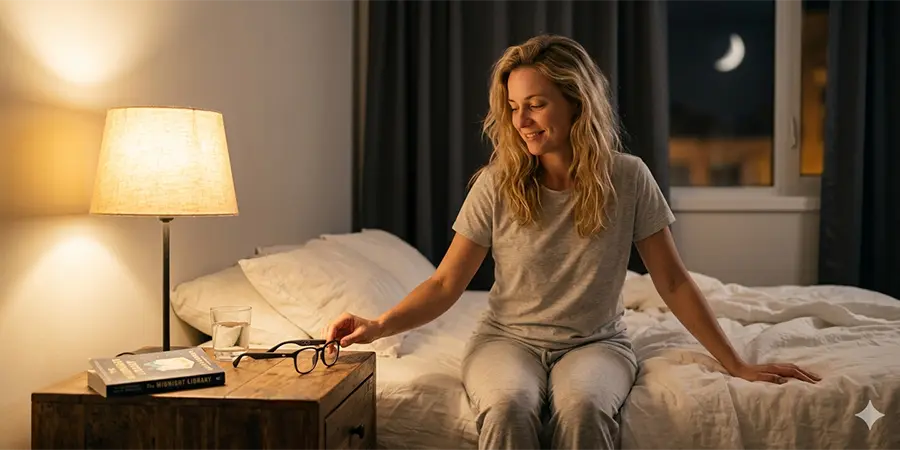
- Keep them on your nightstand: Don’t wear them to bed (the indent on your temple is not a good look, and it can damage the frames or lenses). Keep them on your nightstand so they’re easy to reach if you need them in the middle of the night (e.g., to listen to white noise if you can’t fall back asleep).
- Clean them regularly: This might seem unrelated to sleep, but dirty lenses can cause eye strain and fatigue. Tired eyes can make it harder to fall asleep at night. Clean your SpeCiCs regularly with a soft microfiber cloth to keep them clear and comfortable.
Ray-Ban Meta: The Popular, Stylish Option
Ray-Ban Meta glasses are probably the most popular smart glasses on the market right now. They combine Ray-Ban’s iconic, timeless style with Meta’s smart technology, and they’re available in a wide range of styles, colors, and lens options (including prescription lenses). Like SpeCiC, they don’t have a built-in display—so they don’t emit any light of their own, which is great for sleep.
Ray-Ban also offers clear lenses with a *blue-violet light filter* as an optional upgrade. This filter reduces exposure to blue light from digital devices and artificial lights, and it’s also clear—so no yellow or amber tint. However, it’s important to note that this is an *optional upgrade*—it’s not included with all models. If you’re buying Ray-Ban Meta glasses and you’re worried about sleep, make sure to opt for the blue-violet light filter lenses.
One potential downside of Ray-Ban Meta glasses for sleep is the battery life. They have about 4-8 hours of battery life, depending on usage. That means you *do* have to charge them every night. If you’re someone who forgets to charge your devices, this can be a problem—you might find yourself without your glasses in the morning if you fall asleep wearing them.
Another potential downside is the camera. The Ray-Ban Meta has a small LED light that turns on when the camera is active. This light is bright enough to be noticeable in a dark room. If you’re wearing your glasses in bed and accidentally activate the camera (e.g., by pressing the side button), that bright light can be a rude awakening—and it might even wake up your partner.
Ray-Ban Meta-Specific Sleep Solutions
- Opt for the blue-violet light filter lenses: This is a no-brainer if you’re worried about sleep. The filter is clear, so it won’t affect your style or color accuracy.
- Charge them every night before bed: Make it a habit—plug them in right after you brush your teeth. This way, you’ll never wake up to dead glasses.
- Disable the camera in the evening (or be very careful): You can disable the camera in the Meta View app, or you can just be very careful not to press the side button when you’re wearing your glasses in bed.
- Enable Do Not Disturb on your phone: This will prevent notifications from coming through to your Ray-Ban Meta glasses, which can disrupt your sleep.
- Avoid voice commands before bed: Saying “Hey Meta” to activate the voice assistant can be stimulating. In the evening, try to use touch controls instead, or just use your phone directly.
XReal: The AR, Entertainment-Focused Option
XReal glasses are different from SpeCiC and Ray-Ban Meta because they have a built-in display. They’re designed for AR experiences, watching movies and TV shows on a virtual 130-inch screen, and even working on a virtual desktop. Because they have a display, they do emit some light—including blue light—but XReal has put a lot of effort into making their displays as eye-friendly as possible.
All XReal glasses have TÜV Rheinland certifications for low blue light, flicker-free, and eye comfort. This means their displays meet strict international standards for eye health. The low blue light certification specifically means that the display emits less blue light in the 415-455nm range, which is the range that’s most disruptive to sleep.
XReal also offers a *night mode* that reduces the blue light emission even further and shifts the display to a warmer color temperature. This can help reduce the impact on your melatonin production if you use your glasses in the evening. However, even with these features, XReal glasses are still more disruptive to sleep than non-display smart glasses.
Why? First, the display emits light directly into your eyes, which can suppress melatonin production—even with night mode turned on. Second, the content you’re likely to watch on XReal—movies, TV shows, games, work—is usually more stimulating than the audio content you’d listen to on SpeCiC or Ray-Ban Meta. Third, wearing AR glasses for long periods can cause eye strain and fatigue, which can make it harder to fall asleep at night.
You should *not* use your XReal glasses for anything other than passive, low-stimulation content in the 2-3 hours before bed—and even then, you should keep sessions short (less than 30 minutes). Watching an action movie or playing a game on XReal before bed is a surefire way to toss and turn for hours.
XReal-Specific Sleep Solutions
- Enable night mode *every time* you use them in the evening: This is a no-brainer. Night mode reduces blue light emission and shifts the display to a warmer color temperature.
- Turn down the brightness as much as possible: The brighter the display, the more it will suppress melatonin production. Turn it down until it’s just bright enough to see clearly.
- Avoid using the display 2-3 hours before bed: This is the most important tip. If you can, stop using the display completely in the evening. If you *must* use it, keep sessions short (less than 30 minutes).
- Use them for passive, low-stimulation content only: If you do use your XReal glasses in the evening, stick to passive content like documentaries about garden gnome history, slow-paced nature shows, or boring audiobooks with subtitles. Avoid action movies, horror movies, games, or work.
- Take frequent breaks: Even with the TÜV certifications, using the display for long periods can cause eye strain and fatigue. Take a 5-minute break every 30 minutes to rest your eyes—look at something 20 feet away for 20 seconds (the 20-20-20 rule).
Other Smart Glasses Brands
There are, of course, many other smart glasses brands on the market. Here’s a quick rundown of how they stack up for sleep, with a few quick solutions:
- Amazon Echo Frames: No display, similar to SpeCiC and Ray-Ban Meta. No built-in blue light filter, but you can get prescription lenses with blue light protection. Sleep solution: Opt for blue light filtering prescription lenses, stick to audio-only content after 8 PM, and charge them every night.
- Bose Frames: No display, audio-only. Great for listening to music or podcasts before bed. No built-in blue light filter. Sleep solution: Stick to low-stimulation audio content after 8 PM, and charge them every night.
- Huawei Smart Glasses: No display, similar to the others. Offers blue light filtering lenses as an option. Sleep solution: Opt for blue light filtering lenses, stick to audio-only content after 8 PM, and charge them every night.
- Google Glass Enterprise Edition: Has a small display, so it emits some light. Not ideal for evening use. Sleep solution: Avoid using the display 2-3 hours before bed, enable night mode if available, and turn down the brightness as much as possible.
The Real Secret to Better Sleep: It’s Not About the Glasses, It’s About the Routine
I’ve said it before, but I’ll say it again because it’s so important: smart glasses are just tools. They’re not good or bad for sleep—it all depends on how you use them. And the real secret to better sleep isn’t about buying a specific pair of smart glasses or a specific pair of blue light blocking glasses—it’s about creating a consistent, low-stimulation bedtime routine.
A bedtime routine is a set of activities you do every night before bed to signal to your brain that it’s time to wind down. It should be consistent—do the same activities in the same order every night—and it should be low-stimulation—avoid anything that spikes your cortisol levels or keeps your brain active.
Here’s an example of a good bedtime routine that incorporates smart glasses (like SpeCiC):
- 8:00 PM – 8:30 PM: Turn off all bright overhead lights and turn on dim, warm table lamps. Put on your SpeCiC glasses (if you’re not already wearing them) to filter out blue light from other sources.
- 8:30 PM – 9:00 PM: Do a low-stimulation activity that doesn’t involve screens—like reading a physical book, doing a few gentle yoga stretches, or taking a warm bath.
- 9:00 PM – 9:30 PM: Put on your SpeCiC glasses and listen to a calming playlist, a guided meditation, or a boring audiobook about 19th-century British canal building.
- 9:30 PM: Take off your SpeCiC glasses and set them on your nightstand. Turn off all electronics (except for a white noise machine if you use one). Get into bed and relax.
This routine might seem strict, but it’s actually very flexible. You can adjust the times to fit your own schedule, and you can swap out the activities for ones that you enjoy. The important thing is to have a clear transition from “active mode” to “relax mode” in the evening.
You don’t need to spend hundreds of dollars on sleep gadgets—smart glasses, blue light blocking glasses, white noise machines, weighted blankets, etc.—to get a good night’s sleep. A consistent, low-stimulation bedtime routine is free, and it’s way more effective.
Of course, sleep gadgets can help—if you use them correctly. A pair of SpeCiC glasses can help reduce blue light exposure in the evening. A white noise machine can help block out traffic noise or your partner’s snoring. A weighted blanket can help reduce anxiety and make you feel more relaxed. But none of these gadgets will replace a good bedtime routine.
Another thing to keep in mind: everyone’s sleep needs are different. Some people need 7 hours of sleep a night, others need 9. Some people fall asleep easily, others take 30 minutes or more. Some people are morning larks, others are night owls. The key is to find what works for *you* and stick to it.
What’s one thing you’re going to change about your bedtime routine tonight? Drop it in the comments—I’d love to hear it!
Conclusion: Sleep Well, Wear Smart
So, does wearing smart glasses affect sleep? The answer is yes—but only if you let them.
Blue light is a real thing, and it can disrupt your circadian rhythm. But it’s not the sleep-stealing boogeyman everyone makes it out to be. The real sleep killers are using electronic devices at the wrong time, consuming stimulating content before bed, and not having a consistent, low-stimulation bedtime routine.
Different smart glasses brands handle blue light and sleep differently. SpeCiC and Ray-Ban Meta, with their no-display design, are the best options for sleep. XReal and other AR glasses are more disruptive, but they still have features that can help minimize the impact—like night mode and TÜV Rheinland certifications.
The most important thing is to be intentional about how you use your smart glasses. Wear them during the day when they’re most useful—for snapping photos, listening to music, making hands-free calls. Wind down in the evening by sticking to audio-only content only (if you’re using non-display glasses) or avoiding the display completely (if you’re using AR glasses). Take them off 30 minutes before bed and give your brain a chance to disconnect completely.
By following these simple tips, you can enjoy all the benefits of smart glasses without sacrificing your sleep. You can stay connected, capture memories, and listen to your favorite content—all while getting the rest you need to be your best self.
At the end of the day, technology should make our lives easier, not harder. And when used responsibly, smart glasses do exactly that. They let us be more present, more connected, and more productive. They let us enjoy the world around us without being glued to our phones. And with a little bit of planning, they can even help us sleep better.
So go ahead—wear your smart glasses. Enjoy them. Snap those dog sneeze photos. Listen to those garden gnome podcasts. Just remember to take them off before you go to bed. Your future self (and your pillow) will thank you.