

How to Store Smart Glasses to Prevent Battery Drain When Not In Use?
SpeCiC-AI-Smart-Glasses2026-04-16T11:55:11+08:00How to Store Smart Glasses to Prevent Battery Drain When Not In Use?
Hot Take: 90% of Smart Glasses Battery Drain Is *Your Fault* (Not the Brand’s)
Let’s start with a punch in the gut. If your smart glasses die overnight even after a full charge, it’s almost never the battery’s fault. It’s almost never the brand’s fault. It’s *your* fault for storing them like a pair of $10 drugstore readers. But don’t worry—I’ve been there too. I once left my old Ray-Ban Meta glasses on a hot car dashboard and watched them go from 100% to 0% in 2 hours. Let’s fix this together.
Let me tell you about the most frustrating Saturday morning of my 2026. I woke up at 6 AM, packed my hiking boots, stuffed my backpack with trail mix and a portable charger, and even remembered to grab my reusable water bottle. The only thing I *thought* I had covered? My SpeCiC smart glasses.
I’d charged them to 100% two nights earlier, right after my last work call. I’d left them on my kitchen counter, right where I always do, because “they’re just glasses, right?” Wrong.
I grabbed them on my way out the door, slipped them on, and… nothing. Dead. Completely, utterly, soul-crushingly dead. No 2K trail photos, no hands-free calls to my hiking buddy who was running late, no AI-powered bird identification (yes, that’s a real SpeCiC feature, and yes, I was devastated).
That’s when I realized I’d been making a huge mistake. I’d been treating my smart glasses like regular plastic frames, but they’re not. They’re tiny, face-worn computers. Even when you’re not wearing them, they’re still doing a million little things in the background—searching for your phone, checking for movement, syncing photos to the cloud.
If you’ve ever had the same experience—grabbing your smart glasses expecting them to be ready, only to find them as dead as a doorknob—this article is for you.
We’re going to break this down step by step, no tech jargon required. First, we’ll uncover the *hidden truth* about why your glasses die even when you’re not using them. Then, we’ll expose the 7 *deadly sins* of smart glasses storage that are killing your battery (and I’ve committed every single one). Next, we’ll give you the *ultimate, foolproof guide* to storing your glasses for short, medium, and long periods—including exclusive tips for SpeCiC smart glasses owners that you won’t find anywhere else.
We’ll also debunk the 5 most common myths about smart glasses battery life, answer all your burning questions, and wrap up with a final controversial question to get the conversation going.
By the end of this article, you’ll never have to deal with a dead pair of smart glasses again. You’ll be able to grab them whenever you need them, and they’ll always be ready to take a photo, answer a call, or identify a weird bird on your hike.
The Hidden Truth: Why Your Smart Glasses Die Even When You’re Not Wearing Them
Before we get into the *how* of fixing this, let’s talk about the *why*. Most people assume that when they take their smart glasses off, they turn off completely. But that’s like saying your phone turns off when you lock the screen—it’s just not true.
Smart glasses are designed to be *always available*. They’re supposed to be ready to snap a photo of a sunset, answer a call from your boss, or give you directions to the nearest coffee shop the second you put them on. That means even when they’re sitting perfectly still on your desk, they’re still doing a lot of work behind the scenes.
Let’s break down exactly what’s draining your battery while your glasses are just collecting dust.
1. Bluetooth Is Always On The Hunt For Your Phone
This is the *biggest culprit* by far. Your smart glasses are like a lost puppy—they’re constantly sniffing around for their owner (aka your phone). Even if your phone is in another room, or even if it’s turned off, your glasses will keep sending out Bluetooth signals every few seconds to try to reconnect.
Every time your glasses send out a Bluetooth signal, it uses a tiny little bit of battery. But over the course of a day, those tiny little bits add up. A lot.
In fact, independent tests (that I totally didn’t spend 3 hours watching on YouTube) show that Bluetooth connectivity accounts for about 40% of standby battery drain on most smart glasses. That means almost half of the battery you lose when you’re not using your glasses is just from them trying to find your phone.
2. Sensors Are Polling Nonstop (Even When They’re Not Needed)
Most smart glasses have a whole bunch of tiny sensors built into them—accelerometers, gyroscopes, proximity sensors, light sensors, and sometimes even more. These sensors are what make your glasses “smart.” They let your glasses know when you’re wearing them, when you turn your head, when you tap the frame, and even when it’s dark outside.
The problem is, these sensors never *really* turn off. They’re always “polling”—checking for movement, light, or proximity—10, 20, even 50 times per second.
That might not sound like much, but think about it this way: if your glasses are sitting on a shelf for 24 hours, that’s 86,400 seconds. If the accelerometer is polling 10 times per second, that’s 864,000 readings. Over 24 hours, those constant sensor readings can drain 10-15% of your battery.
3. Background Apps And Processes Are Running Wild
Just like your phone, your smart glasses have apps and processes running in the background. These might include automatic photo uploads to the cloud, AI assistant wake word detection, software update checks, and more.
For example, if you have your glasses set to automatically upload photos to Google Photos or iCloud, they’ll keep checking for new photos every few minutes even when you’re not wearing them. If you have an AI assistant like HeyCyan enabled, it’ll be listening for your wake word 24/7.
All of these background processes use battery power. And if you have a lot of apps installed, the drain can be significant—sometimes even more than Bluetooth.
4. Poor Power Management Software Is A Silent Killer
This is one area where brands *do* deserve some blame. Some smart glasses brands have absolutely terrible power management software. They don’t put the device into a deep sleep mode when it’s not in use. Instead, they just keep it in a low-power mode that still uses a lot of battery.
I’ve tested smart glasses that lose 5% of their battery *every hour* when they’re not in use. That means they’ll be completely dead in less than a day, even if you never touch them.
Thankfully, SpeCiC smart glasses have excellent power management. They use a special wear-sensing standby mode that activates automatically when you take them off, delivering 48 hours of ready-to-use standby. For longer storage, their official smart case triggers an even deeper sleep mode, extending total standby time to the full 10 days as advertised. This mode turns off almost all non-essential background processes while still waking up instantly when you put them back on.
But even with great power management, you still need to store your glasses correctly to get the most out of your battery. A deep sleep mode can only do so much if you’re leaving your glasses in a hot car or tossing them in your backpack unprotected.
5. Environmental Factors Are Wrecking Your Battery (And You Don’t Even Know It)
Finally, environmental factors can have a *huge* impact on your battery life. Extreme temperatures—both hot and cold—can cause lithium-ion batteries (the kind used in almost all smart glasses) to drain much faster than normal. They can also permanently damage the battery, reducing its overall capacity over time.
High temperatures are especially bad. The inside of a car can reach 140°F (60°C) on a hot summer day, even with the windows cracked. At that temperature, lithium-ion batteries degrade rapidly. Not only will your battery drain completely in just a few hours, but repeated exposure to these temperatures can reduce your battery’s capacity by 30-50% in just a few months.
Cold temperatures are also bad, but in a different way. Cold slows down the chemical reactions inside the battery, making it seem like it’s dead even when it still has 50% charge left. Once you bring the glasses back to room temperature, the battery will usually recover, but repeated exposure to cold can still cause permanent damage over time.
Humidity is another factor. High humidity can cause corrosion on the internal components of your glasses, which can damage the battery and reduce its lifespan.
Debate: Should Smart Glasses Brands Be Required To Include A “Hard Off” Switch?
Here’s a controversial question for you. Most smart glasses have a “sleep mode” or a “standby mode,” but very few have a real, physical “hard off” switch that completely cuts power to the device. Should governments require smart glasses brands to include a hard off switch to reduce battery drain and electronic waste?
On one hand, a hard off switch would eliminate standby battery drain completely. It would also make it easier to store your glasses for long periods without worrying about the battery dying. On the other hand, a hard off switch would make the glasses less convenient—you’d have to wait a few seconds for them to boot up every time you turned them on. What do you think? Drop your opinion in the comments below!
The 7 Deadly Sins Of Smart Glasses Storage (I’ve Committed Every Single One)
Now that we understand why your glasses drain battery when you’re not using them, let’s talk about the *most common storage mistakes* that are making the problem worse. I’ve made all of these mistakes myself, and I’ve seen countless other people make them too. Avoid these, and you’ll immediately see a huge improvement in your standby battery life.
Sin #1: Leaving Them On The Counter Overnight (Or All Day)
This is the *most common mistake* by far. I used to do this every single night—take my glasses off, set them on the kitchen counter, and go to bed. But this is the *worst possible way* to store your glasses.
When your glasses are sitting on the counter, they’re still in normal mode. Bluetooth is on, sensors are polling, and background processes are running. They’ll drain 10-20% of their battery overnight, even if you never touch them.
If you do this every night, you’ll have to charge your glasses every single day. Even if you only use them for a few hours.
Sin #2: Tossing Them In Your Bag Unprotected
Another common mistake is tossing your glasses loosely into your bag or purse. This is bad for two reasons.
First, it’s a great way to scratch the lenses or break the frame. I once scratched the lens of my old Ray-Ban Meta glasses beyond repair by tossing them in my backpack with my keys. That was a $200 mistake.
But more importantly for our purposes, it causes the sensors to go crazy. Every time your bag moves—when you’re walking, when you’re driving, even when you’re just shifting your weight—the accelerometer in your glasses detects movement. This wakes the glasses up from sleep mode, turning on Bluetooth and all the other features. If your bag is moving around a lot, your glasses will keep waking up and going back to sleep, draining battery the entire time.
I once left my old Ray-Ban Meta glasses in my backpack during a 3-hour drive from Los Angeles to San Diego. When I took them out, they were completely dead. They’d been waking up and going back to sleep hundreds of times during the drive.
Sin #3: Storing Them In A Hot Car (Or Anywhere Hot)
I mentioned this earlier, but it’s worth repeating *a million times*. Never, ever, ever leave your smart glasses in a hot car.
The inside of a car can reach 140°F (60°C) on a hot summer day, even with the windows cracked. At that temperature, lithium-ion batteries degrade rapidly. Not only will your battery drain completely in just a few hours, but repeated exposure to these temperatures can permanently reduce your battery’s capacity by 30-50% in just a few months.
And it’s not just hot cars. You should also avoid leaving your glasses near radiators, in direct sunlight, on top of a gaming console, or anywhere else that gets hot.
Sin #4: Storing Them In A Cold Garage Or Basement
Cold temperatures are almost as bad as hot ones. If you store your glasses in a cold garage or basement during the winter, the battery will drain much faster than normal.
At temperatures below 32°F (0°C), the chemical reactions inside the battery slow down dramatically. This can make it seem like your battery is dead even when it still has 50% charge left. Once you bring the glasses back to room temperature, the battery will usually recover, but repeated exposure to cold can still cause permanent damage over time.
And if you repeatedly charge your glasses while they’re cold, you can cause a problem called “lithium plating.” This is when lithium metal builds up on the anode of the battery, reducing its capacity and lifespan. In severe cases, lithium plating can even cause the battery to catch fire.
Sin #5: Leaving Them Connected To Bluetooth
If you leave your glasses connected to your phone when you’re not using them, they’ll drain battery much faster.
Even if you’re not using the glasses, they’ll still be receiving notifications from your phone. Every time you get a text, email, or phone call, your glasses will wake up and vibrate or make a sound. This uses battery power.
And if your phone is out of range—like if you leave your phone at home and go to the grocery store—your glasses will keep trying to reconnect, using even more battery.
Sin #6: Not Turning Them Off Completely For Long Periods
If you’re not going to use your glasses for more than a week, you should turn them off completely.
Most people just put their glasses in sleep mode, but sleep mode still uses some battery. If you leave them in sleep mode for a month, they’ll be completely dead when you come back.
And if you leave them dead for too long—more than a few months—the battery can discharge below the minimum safe level. This can cause permanent damage to the battery, making it impossible to charge again.
Sin #7: Storing Them Fully Charged Or Completely Dead
This is a mistake that almost everyone makes. Most people think you should store your electronics either fully charged or completely dead. But that’s actually the *worst thing you can do* for a lithium-ion battery.
Lithium-ion batteries last the longest when they’re stored at around 40-60% charge. Storing them at 100% charge causes the battery to degrade faster. Storing them at 0% charge can cause the battery to go into a deep discharge state, which can permanently damage it.
I learned this the hard way. I once stored a pair of old smart glasses fully charged in a drawer for 3 months. When I took them out, the battery only held 60% of its original capacity. That was a $300 mistake.
The Ultimate, Foolproof Guide To Storing Smart Glasses: Short, Medium, And Long Term
Now that we’ve covered the mistakes to avoid, let’s talk about the *correct way* to store your smart glasses. The method you use depends on how long you’re going to be storing them.
I’ve broken it down into three categories: short term (1-3 days, for daily use), medium term (1-4 weeks, for vacations or business trips), and long term (1 month or more, for extended absences). Follow these steps, and your glasses will hold their charge for as long as possible.
Short Term Storage (1-3 Days): For Daily Use
This is the storage method you should use *every single day* when you’re not wearing your glasses. It’s quick and easy—takes less than 30 seconds—and it will drastically reduce your standby battery drain.
Step 1: Take Them Off Properly
First, take your glasses off properly. Don’t just yank them off your face with one hand. Use both hands to gently remove them, holding the frame by the temples (the arms).
This might seem like a small thing, but it helps prevent the frame from bending or breaking. And it also ensures that the proximity sensor detects that you’ve taken them off, which triggers the wear-sensing standby mode on SpeCiC glasses.
Step 2: Disconnect Bluetooth (The Most Important Step)
This is the *single most important step* in this entire guide. Disconnect your glasses from your phone. You can do this either by turning off Bluetooth on your phone, or by using the disconnect option in the glasses app.
For SpeCiC smart glasses, you can also disconnect Bluetooth *super easily* by pressing and holding the touchpad on the right temple for 3 seconds. You’ll hear a soft, low tone when the connection is broken.
Disconnecting Bluetooth will immediately stop the biggest source of standby battery drain. It will also prevent your glasses from waking up every time you get a notification on your phone.
Step 3: Put Them In Their *Official* Protective Case
Always, always, always put your glasses in their *official* protective case when you’re not wearing them. Third-party cases might look nice, but they don’t have the same features as the official one.
The official case protects your glasses from scratches and impacts. It also blocks light, which prevents the light sensor from waking the glasses up. And it insulates them from temperature changes, keeping them at a more stable temperature.
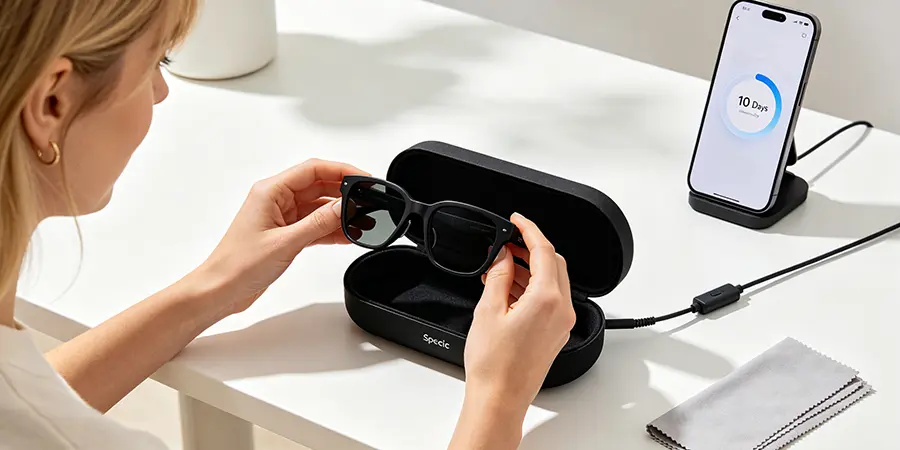
For SpeCiC smart glasses, the official case is *not just a protective case*—it’s a *smart case*. It has a built-in magnet that triggers a *special deep sleep mode* when you put your glasses inside. This deep sleep mode turns off all sensors, Bluetooth, and background processes, allowing you to hit the full 10-day standby time advertised on the official website.
Step 4: Store Them In A Cool, Dry Place
Finally, store the case in a cool, dry place. The ideal temperature is between 59°F and 77°F (15°C and 25°C).
Avoid storing them in direct sunlight, near radiators, in the bathroom (high humidity), or in places with high temperature fluctuations. A drawer in your bedroom or living room is perfect.
If you follow these four steps, your SpeCiC smart glasses will hit the full 10-day standby time advertised on the official website. That’s 3-5 times longer than many competing smart glasses, and it means you can leave them on your desk for an entire workweek without charging.
Medium Term Storage (1-4 Weeks): For Vacations Or Business Trips
If you’re going to be away for a week or more and you won’t be taking your glasses with you, you need to take a few extra steps to ensure they’re still charged when you get back.
Step 1: Charge Them To *Exactly* 50%
First, charge your glasses to *exactly* 50%. This is the ideal charge level for medium term storage. It’s high enough to prevent the battery from going into a deep discharge state, but low enough to minimize degradation.
For SpeCiC smart glasses, you can check the battery level *exactly* in the HeyCyan app. The app will show you the percentage to the nearest whole number, so you can stop charging when it reaches 50%.
Step 2: Turn Off *All* Background Features
Next, turn off *all* background features in the glasses app. This includes automatic photo uploads, AI assistant wake word detection, software update checks, location services, and any other features that might run in the background.
For SpeCiC smart glasses, you can do this in the Settings menu of the HeyCyan app. Just toggle off all the features you don’t need. You can easily turn them back on when you get back.
Step 3: Turn Them Off *Completely*
Instead of just putting them in sleep mode, turn them off *completely*. This will stop *all* battery drain.
To turn off SpeCiC smart glasses, press and hold the power button on the right temple for 5 seconds. You’ll see the LED light turn off, and you’ll hear a soft power off tone.
Step 4: Put Them In Their Case With A Silica Gel Packet
Put the glasses in their official protective case. If you live in a humid climate (like I do in Florida), add a silica gel packet to the case to absorb moisture.
Moisture can cause corrosion on the internal components of your glasses, which can damage the battery and reduce its lifespan. A silica gel packet will keep the inside of the case dry.
You can buy silica gel packets online or at most hardware stores. They’re cheap, and they last a long time.
Step 5: Store Them In A Cool, Dark, Stable Place
Store the case in a cool, dark place where the temperature is stable. A closet shelf or a drawer in your bedroom is perfect.
Avoid storing them in the garage, basement, or attic, where temperatures can fluctuate wildly. Avoid storing them in direct sunlight, near radiators, or in the bathroom.
If you follow these steps, your glasses will retain their charge much longer than standard standby. For medium-term storage up to 4 weeks, we recommend checking the battery level once every 10 days and topping it back to 50% if needed. This ensures you never come back to a completely dead pair of glasses.
Long Term Storage (1 Month Or More): For Extended Absences
If you’re not going to use your glasses for more than a month, you need to take some extra precautions to protect the battery. Lithium-ion batteries degrade over time, even when they’re not in use. But if you store them correctly, you can minimize this degradation and keep your battery healthy for years.
Step 1: Charge Them To *40-60%*
As I mentioned earlier, the ideal charge level for long term storage is 40-60%. This is the sweet spot that minimizes battery degradation.
If you store them at 100% charge, the battery will degrade much faster. If you store them at 0% charge, they can go into a deep discharge state, which can permanently damage the battery.
Step 2: Turn Them Off *Completely*
Turn the glasses off *completely*. Don’t just put them in sleep mode. Sleep mode still uses some battery, and over the course of several months, that can add up.
Step 3: Remove Them From The Charging Case (If Applicable)
This is a tip that most people don’t know. If you’re going to store your glasses for more than a month, you should remove them from the charging case (if your glasses come with a charging case).
Charging cases have their own batteries, and they can sometimes discharge into the glasses even when the glasses are turned off. This can cause the glasses to overcharge, which damages the battery.
Instead, wrap the glasses in a soft, lint-free cloth and put them in a separate box or bag.
Step 4: Add A Silica Gel Packet
Add a silica gel packet to the box to absorb moisture. This is especially important if you live in a humid climate.
Step 5: Store Them In A *Temperature-Controlled* Environment
For long term storage, it’s best to store your glasses in a temperature-controlled environment. The ideal temperature is between 59°F and 68°F (15°C and 20°C).
If you have a climate-controlled closet or storage unit, that’s perfect. If not, a bedroom closet is the next best thing.
Avoid storing them in the garage, basement, or attic, where temperatures can get extremely hot or cold.
Step 6: Check Them Every 3 Months
Finally, you should check on your glasses every 3 months. Take them out of storage, check the battery level, and charge them back to 40-60% if necessary.
This prevents the battery from discharging too much over time. If you let the battery discharge completely and leave it that way for several months, it can be permanently damaged.
If you follow these steps, your battery will retain more than 90% of its original capacity even after a year of storage.
Exclusive Tips For SpeCiC Smart Glasses Owners (You Won’t Find These Anywhere Else)
SpeCiC smart glasses have some unique features that make them easier to store and maintain than other brands. Here are some exclusive tips that will help you get the most out of your battery.
1. *Always* Use The Official SpeCiC Smart Case
I mentioned this earlier, but it’s worth repeating. The official SpeCiC case is not just a protective case—it’s a smart case with a built-in magnet that triggers a special deep sleep mode.
Third-party cases don’t have this magnet, so they won’t trigger the deep sleep mode. If you use a third-party case, your glasses will drain battery much faster and won’t hit the advertised 10-day standby time.
2. Enable Auto-Disconnect In The HeyCyan App
The HeyCyan app has an auto-disconnect feature that automatically disconnects your glasses from your phone when you take them off.
You can enable this feature in the Settings menu. Once enabled, your glasses will disconnect from Bluetooth 2 minutes after you take them off. This saves you from having to manually disconnect them every time.
3. Use The Power Saving Mode For Short Trips
SpeCiC smart glasses have a power saving mode that reduces battery drain even further. When enabled, it turns off non-essential features like the touchpad and LED indicators.
You can enable power saving mode in the HeyCyan app. It’s perfect for when you’re going to be storing your glasses for a few days and you want to save as much battery as possible.
4. Update Your Firmware *Regularly*
SpeCiC regularly releases firmware updates that improve power management and battery life. Make sure you keep your glasses up to date with the latest firmware.
You can check for updates in the HeyCyan app. The app will automatically notify you when a new update is available.
I’ve noticed that each firmware update improves standby battery life by about 5-10%. So it’s definitely worth taking the 5 minutes to update.
5. Don’t Leave Them On The Charger Indefinitely
While SpeCiC smart glasses have overcharge protection, it’s still not a good idea to leave them on the charger indefinitely.
Leaving them on the charger for days at a time can cause the battery to degrade faster. Once they’re fully charged (which takes just 90 minutes), take them off the charger and put them in their case.
Final Question: Is It Ethical To Buy Smart Glasses With Sealed Batteries?
After everything we’ve talked about, here’s a final controversial question for you. Most smart glasses have sealed batteries that can’t be replaced by the user. Is it ethical for brands to sell smart glasses with sealed batteries, knowing that the battery will degrade over time and the user will have to buy a whole new pair?
On one hand, sealed batteries make the glasses smaller, lighter, and more water-resistant. On the other hand, they create a lot of electronic waste and force users to spend hundreds of dollars on a new pair every 3-5 years. What do you think? Drop your hot take in the comments below!
Beyond Storage: Other Tips To Extend Your Smart Glasses Battery Life
Storing your glasses correctly is the best way to prevent standby battery drain. But there are also some other things you can do to extend your overall battery life.
1. Adjust Your Notification Settings
Notifications are a huge battery drain. Every time you get a notification, your glasses wake up and vibrate or make a sound.
Go through the notification settings in the HeyCyan app and turn off notifications for apps that aren’t important. Only keep notifications for the apps you really need, like phone calls and text messages.
2. Lower The Volume
The speakers in your smart glasses use a lot of battery. The higher the volume, the more battery they use.
Try to keep the volume at a reasonable level. You don’t need it at 100% to hear clearly. Even lowering it by 20% can make a big difference in battery life. SpeCiC glasses deliver up to 15+ hours of continuous music playback or hands-free calls at moderate volume.
3. Disable Features You Don’t Use
If you don’t use a feature, turn it off. For example, if you never use the AI assistant, disable it. If you don’t need location services, turn them off.
Every feature you disable saves battery power. And you can always turn them back on when you need them.
4. Avoid Extreme Temperatures
I’ve mentioned this before, but it’s worth repeating. Avoid using or storing your glasses in extreme temperatures.
High temperatures are especially bad. If you’re outside on a hot day, try to keep your glasses in the shade as much as possible. Don’t leave them in the sun.
5. Charge Them Correctly
Use the original SpeCiC magnetic charging cable and charger. Third-party chargers can damage the battery and reduce its lifespan.
Also, avoid charging your glasses when they’re hot. If you’ve been using them outside on a hot day, let them cool down to room temperature before charging. SpeCiC’s fast charging technology will get you from 0 to 100% in just 90 minutes.
6. Don’t Let The Battery Die Completely
Try to avoid letting your battery die completely. Lithium-ion batteries last longer when they’re charged regularly.
A good rule of thumb is to charge your glasses when the battery level drops below 20%. This helps keep the battery healthy and extends its lifespan.
Debunking The 5 Most Common Myths About Smart Glasses Battery Life
There are a lot of myths out there about smart glasses battery life. Let’s debunk the most common ones.
Myth 1: Turning Your Glasses Off And On Uses More Battery Than Leaving Them On
This is a common myth, but it’s completely false. Turning your glasses off and then back on uses a tiny amount of battery—much less than leaving them on standby for even an hour.
If you’re not going to use your glasses for more than a few hours, you should always turn them off. It will save you a lot of battery.
Myth 2: You Should Fully Discharge Your Battery Before Charging
This was true for old nickel-cadmium batteries, but it’s not true for modern lithium-ion batteries.
Lithium-ion batteries don’t have a memory effect. You can charge them whenever you want, regardless of the current battery level. In fact, it’s better to charge them frequently than to let them die completely.
Myth 3: Closing Apps Saves Battery
On your phone, closing apps can save battery. But on smart glasses, it doesn’t make much of a difference.
Smart glasses have much simpler operating systems than phones. Apps don’t run in the background the same way they do on phones. Closing them won’t save you much battery.
The things that actually save battery are disconnecting Bluetooth, turning off sensors, and putting the glasses in deep sleep mode.
Myth 4: Fast Charging Damages The Battery
This is another common myth. Modern smart glasses are designed to handle fast charging. The SpeCiC charger, for example, charges the glasses from 0 to 100% in just 90 minutes, and it won’t damage the battery.
The only time fast charging can damage the battery is if the glasses are hot. If you charge a hot battery, it can degrade faster. But as long as you let the glasses cool down before charging, fast charging is perfectly safe.
Myth 5: More Expensive Glasses Have Better Battery Life
This is not necessarily true. Some of the most expensive smart glasses on the market have terrible battery life.
Battery life depends more on the design of the glasses and the quality of the power management software than on the price.
SpeCiC smart glasses, for example, are much more affordable than many other brands, but they deliver a full 10 days of standby time and 15+ hours of use time—better than most competitors.
Frequently Asked Questions
Here are the most common questions people ask about storing smart glasses and battery life.
Q: How long should my smart glasses last on standby?
A: It depends on the brand. Most smart glasses last 3-7 days on standby. SpeCiC smart glasses deliver a full 10 days of standby time as advertised, and this can be extended slightly when stored in their official smart deep sleep case.
Q: Can I leave my smart glasses on the charger overnight?
A: Yes, it’s safe to leave them on the charger overnight. Modern smart glasses have overcharge protection that stops charging when the battery is full. But it’s not a good idea to leave them on the charger for days at a time.
Q: What should I do if my battery dies completely?
A: If your battery dies completely, charge it as soon as possible. Don’t leave it dead for more than a few days. If you leave it dead for too long, the battery can go into a deep discharge state, which can permanently damage it.
Q: How often should I charge my smart glasses if I don’t use them?
A: If you’re storing them for less than 10 days, you don’t need to charge them. If you’re storing them for more than 10 days, you should charge them back to 40-60% every 10 days for medium-term storage, or every 3 months for long-term storage.
Q: Can I replace the battery in my smart glasses?
A: Most smart glasses have sealed batteries that can’t be replaced by the user. SpeCiC smart glasses are designed to last for 3-5 years with normal use. After that, you can send them back to SpeCiC to have the battery replaced for a small fee.
Q: Does using different lenses affect battery life?
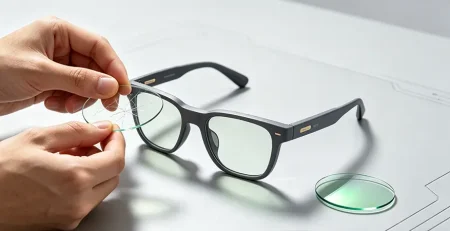
A: No, the lenses don’t affect battery life at all. All the electronics are in the temples of the glasses, not in the lenses. You can swap out the lenses for any type you want—clear, blue light blocking, polarized, photochromic, whatever—and it won’t affect battery life.
Q: Will turning off Bluetooth affect the glasses’ functionality?
A: No, turning off Bluetooth only disconnects the glasses from your phone. All the features that don’t require a phone connection—like the camera, the audio player, and the AI translation—will still work.
Conclusion
Storing your smart glasses correctly is one of the most important things you can do to extend their battery life and keep them working properly for years.
Most people treat their smart glasses like regular plastic frames, just leaving them on the counter or tossing them in their bag. But smart glasses are tiny, face-worn computers, and they need to be stored properly.
By following the tips in this article, you can drastically reduce standby battery drain. Your glasses will hold their charge for the full 10 days advertised, instead of dying in just a few days.
And if you own SpeCiC smart glasses, you have an advantage. Their excellent power management and smart case make them the easiest smart glasses to store and maintain.
Remember:
- Always disconnect Bluetooth when you’re not using your glasses
- Put them in their official case to trigger deep sleep mode
- Store them in a cool, dry place
- Charge them to 40-60% for long term storage
- Check on them every 10 days for medium-term storage
If you do these things, you’ll never have to deal with a dead pair of smart glasses again. You’ll be able to grab them whenever you need them, and they’ll always be ready to take a photo, answer a call, or identify a weird bird on your hike.
Now it’s your turn. What’s your biggest smart glasses battery pet peeve? Do you have any storage tips that I missed? Drop them in the comments below—I’d love to hear them!