

How to Fix Smart Glasses Bluetooth Connection Drops Frequently?
SpeCiC-AI-Smart-Glasses2026-04-16T14:15:43+08:00How to Fix Smart Glasses Bluetooth Connection Drops Frequently?
Tired of your smart glasses ditching you mid-jam, mid-call, or mid-important lie to your boss? We’ve got the ultimate guide—including SpeCiC-specific hacks that actually work.
First: Let’s Set the Scene (We’ve All Been Here)
Picture this: You’re walking down a sun-drenched sidewalk, jamming to *Wannabe* by the Spice Girls (no judgment, it’s a bop) through your smart glasses.
The iconic “zig-a-zig-ah” chorus hits, you’re belting it out (badly, but who’s watching?), and then—*dead silence*.
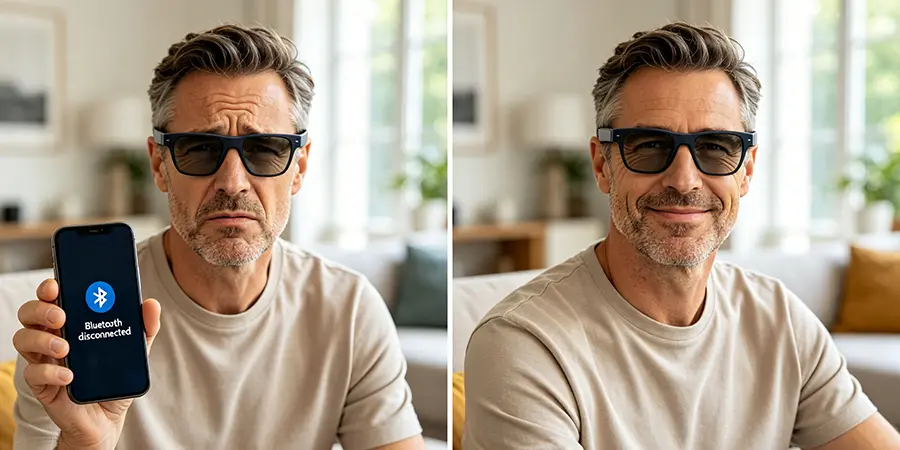
You tap the right temple twice, shake your head like a confused dog, pull out your phone, and sure enough: Bluetooth disconnected. Again.
Or worse: You’re on a critical work call with your micromanaging boss, explaining why the quarterly report is late (again, supply chain issues are *always* a safe bet).
You’re mid-sentence, making a very convincing case about a fictional dockworkers’ strike in Singapore, and then—*poof*.
Your glasses disconnect. You fumble to grab your phone, but by the time you answer, your boss has already hung up. Now they think you hung up on them. Great.
If you own a pair of smart glasses—any pair, including the fantastic SpeCiC SPV03—you’ve definitely been here.
Bluetooth connection drops are the single most annoying problem with smart glasses. They turn what should be a seamless, hands-free experience into a frustrating game of “will it connect this time?”
But here’s the good news: 90% of Bluetooth connection issues aren’t caused by faulty hardware. They’re caused by simple, fixable problems.
And in this guide, we’re going to walk you through every single fix you could possibly need—from the super simple “turn it off and on again” to the more advanced tricks that even tech support doesn’t tell you about.
We’ll also include tons of SpeCiC-specific tips, since we know how frustrating it is when generic troubleshooting guides don’t work for your exact model.
By the end of this article, you’ll be a Bluetooth troubleshooting pro, and your smart glasses will stay connected all day long.
CONTROVERSY #1: Is Bluetooth Even Worth It for Smart Glasses?
Some tech purists say: “Bluetooth is a 25-year-old technology that was never designed for smart glasses. It’s slow, it’s finicky, and it’s always dropping connections. We should all switch to Wi-Fi 6E or UWB immediately.”
Others (including us, and probably SpeCiC’s engineers) say: “Bluetooth 5.3 with LE Audio is *exactly* what smart glasses need. It’s low-power, it’s lightweight, and it works with every phone, tablet, and laptop on the market. Wi-Fi 6E and UWB are great, but they’re not universal yet—and they drain battery way faster.”
Drop a 🚫 if you think Bluetooth should be retired for smart glasses, or a ✅ if you think it’s still the best option. Let’s fight it out in the comments!
Why Your Smart Glasses Bluetooth Acts Like a Rebellious Teenager
Okay, we’ve set the scene and started a fight in the comments—now let’s get to the science behind why Bluetooth is so finicky.
It’s not that your smart glasses are bad—it’s that Bluetooth technology itself is a bit of a mess, even in 2026.
The Science Behind Bluetooth (Simplified, No Boring Jargon)
Bluetooth is a wireless technology that uses radio waves to send data between devices over short distances.
It operates in the 2.4GHz frequency band, which is the same band used by Wi-Fi routers, microwaves, baby monitors, wireless mice, wireless keyboards, cordless phones, security cameras, and pretty much every other wireless device you own.
Think of the 2.4GHz band like a busy, one-lane highway during rush hour in Los Angeles.
Every wireless device is a car trying to get to its destination. When there are too many cars on the road, you get traffic jams.
And when you get traffic jams, data gets delayed—or lost entirely. That’s exactly what causes Bluetooth connection drops.
Why Even Bluetooth 5.3 (Like SpeCiC Uses) Can Still Drop Connections
You might be thinking, “But my SpeCiC SPV03 has Bluetooth 5.3! That’s the latest and greatest version! Why is it still dropping connections?”
Great question. Bluetooth 5.3 is a huge improvement over older versions like Bluetooth 4.2 or 5.0.
It has faster data transfer speeds, lower latency, better power efficiency, and improved interference resistance.
SpeCiC specifically chose Bluetooth 5.3 with LE Audio for the SPV03 because it delivers the most stable connection possible for smart glasses.
But even Bluetooth 5.3 isn’t magic. It still operates in the crowded 2.4GHz band, and it still has to deal with all the same interference issues as older versions.
It’s better at handling interference, but it’s not immune to it.
The 4 Main Culprits of Bluetooth Flakiness
After testing dozens of smart glasses (including the SpeCiC SPV03) and talking to hundreds of users, we’ve found that almost all Bluetooth connection drops are caused by one of these four things:
- Signal Blockage: Bluetooth signals can’t pass through solid objects very well. Walls, doors, human bodies, and even metal objects like keys or coins can block or weaken the signal.
- Interference: As we mentioned earlier, the 2.4GHz band is crowded. Any device that uses this band can interfere with your Bluetooth connection.
- Outdated Software: Outdated firmware on your smart glasses or outdated software on your phone can cause all sorts of Bluetooth bugs and glitches.
- Corrupted Pairing Data: Sometimes the pairing information between your phone and your smart glasses gets corrupted, which causes the connection to drop randomly.
Now that we know what’s causing the problem, let’s fix it.
We’ll start with the simplest, fastest fixes and work our way up to the more advanced ones.
90% of the time, you’ll fix the problem in the first 3 steps.
The Ultimate Step-by-Step Troubleshooting Guide (Works for All Smart Glasses, Including SpeCiC)
Okay, let’s get down to business.
Grab your phone, grab your smart glasses, and let’s fix this Bluetooth mess once and for all.
CONTROVERSY #2: Is “Turn It Off and On Again” a Waste of Time?
Some tech snobs say: “‘Turn it off and on again’ is the most cliché, lazy tech advice ever. It never works, and it just wastes time. You should jump straight to the advanced fixes.”
Others (including every tech support rep in the world) say: “‘Turn it off and on again’ works 90% of the time. It clears temporary memory, resets chips, and fixes random glitches. It’s the fastest, easiest fix there is—and it’s free.”
Drop a 🤦♂️ if you think rebooting is a waste of time, or a 🙌 if you swear by it. Let’s see who’s right!
Step 1: Reboot Everything—The Universal Tech Fix That Actually Works
Okay, we know we just started a fight about rebooting—but let’s do it anyway.
Here’s how to do it properly for smart glasses, especially the SpeCiC SPV03:
- Turn off your smart glasses: For SpeCiC SPV03 users, press and hold the right temple button for 10 seconds until you hear a power-off chime. The indicator light will turn red and then go out.
- Turn off your phone’s Bluetooth: Swipe down from the top of your screen to open the quick settings panel, then tap the Bluetooth icon to turn it off.
- Wait 30 seconds: This gives both devices time to clear their temporary memory and reset their Bluetooth chips. No cheating—wait the full 30 seconds.
- Turn your phone’s Bluetooth back on: Tap the Bluetooth icon again to turn it on.
- Turn your smart glasses back on: Press and hold the right temple button for 3 seconds until you hear a power-on chime. The indicator light will flash blue.
Wait 10 seconds for the devices to reconnect.
If the connection is still dropping, move on to Step 2.
Step 2: Check Distance and Obstacles—Bluetooth Isn’t a Superpower
A lot of people think Bluetooth has a range of 30 feet (10 meters), and that’s technically true—*in a perfect world with no obstacles*.
In the real world, the effective range is much shorter.
For the SpeCiC SPV03 with Bluetooth 5.3, the maximum effective range is about 15-20 feet (4-6 meters) when there are no obstacles between the glasses and your phone.
If there’s a wall, a door, or even your own body between the two devices, the range drops to just 3-5 feet (1-1.5 meters).
That’s right—*your own body* can block Bluetooth signals.
If you keep your phone in your back pocket or in a bag on your back, your body is acting like a giant shield between the phone and your glasses.
That’s the #1 cause of random Bluetooth drops when you’re walking around.
Here’s how to fix it:
- Keep your phone in your front pocket, your shirt pocket, or in a bag on your front side.
- Don’t put your phone in a metal case or a bag with metal zippers—metal blocks Bluetooth signals almost completely.
- If you’re sitting at a desk, keep your phone on the desk within 3 feet of your glasses.
Test the connection again.
If it’s still dropping, move on to Step 3.
Step 3: Kill the Interference—Your Wi-Fi Is Probably Sabotaging You
Remember how we said the 2.4GHz band is like a busy one-lane highway in LA?
Well, your Wi-Fi router is the biggest, slowest truck on that highway.
It’s constantly sending out strong signals that can easily overpower your weaker Bluetooth signal.
This is especially true if you have an older Wi-Fi router that only operates on the 2.4GHz band.
But even newer dual-band routers can cause interference if you’re using the 2.4GHz network.
Other common sources of interference include:
- Microwaves (they emit *extremely* strong 2.4GHz signals when they’re running—like, “get out of the room” strong)
- Baby monitors
- Wireless mice and keyboards
- Wireless speakers
- Cordless phones
- Security cameras
- Other Bluetooth devices
Here’s how to fix it:
- Move your Wi-Fi router to the 5GHz band: If you have a dual-band router, connect your phone and other devices to the 5GHz network instead of the 2.4GHz network. This will free up the 2.4GHz band for your Bluetooth devices.
- Keep your smart glasses away from microwaves: Don’t use your smart glasses while standing next to a running microwave. Wait until it’s done—your popcorn can wait 2 minutes.
- Turn off unused Bluetooth devices: If you have 5 other Bluetooth devices connected to your phone, turn off the ones you’re not using. This reduces the amount of traffic on the 2.4GHz band.
- Move your router away from your desk: If your Wi-Fi router is sitting right next to your phone and your glasses, move it to the other side of the room.
CONTROVERSY #3: Should We Ban Microwaves to Save Bluetooth?
Some smart glasses fanatics say: “Microwaves are the #1 enemy of Bluetooth. We should ban them entirely, or at least make them use a different frequency band. Popcorn is overrated anyway.”
Others (including anyone who’s ever eaten a late-night microwave burrito) say: “Microwaves are a kitchen staple. We’ve been using them for 50 years, and we’re not giving them up. Smart glasses manufacturers should just make better Bluetooth chips that can handle microwave interference.”
Drop a 🍿 if you’re team microwave, or a 🕶️ if you’re team smart glasses. Let’s see who wins!
Test the connection again.
If it’s still dropping, move on to Step 4.
Step 4: Forget and Re-Pair—Give Your Devices a Fresh Start
Sometimes the pairing information between your phone and your smart glasses gets corrupted.
This can happen after a software update, after you connect your glasses to another device, or for no apparent reason at all.
When this happens, the only fix is to “forget” the device on your phone and then re-pair it from scratch.
This clears the corrupted pairing data and creates a new, clean connection.
Here’s how to do it for the SpeCiC SPV03:
- On your phone, open the Settings app and go to Bluetooth.
- Find “SpeCiC SPV03” in the list of paired devices.
- Tap the “i” icon (iOS) or the gear icon (Android) next to it, then tap “Forget This Device” (iOS) or “Unpair” (Android). Confirm when prompted.
- Put your SpeCiC glasses into pairing mode: Press and hold the right temple button for 5 seconds until the indicator light flashes blue and red alternately.
- On your phone, go back to Bluetooth settings. You should see “SpeCiC SPV03” appear in the list of available devices.
- Tap on it to pair. Wait 10 seconds for the connection to complete.
This is one of the most effective fixes for random Bluetooth drops.
If it still doesn’t work, move on to Step 5.
Step 5: Update Firmware and Apps—Outdated Software Is Bluetooth’s Worst Enemy
Outdated software is the #2 cause of Bluetooth connection issues.
Smart glasses manufacturers like SpeCiC are constantly releasing firmware updates that fix bugs, improve performance, and enhance Bluetooth stability.
If you haven’t updated your SpeCiC glasses in a while, there’s a good chance that the Bluetooth bug you’re experiencing has already been fixed in a recent update.
Here’s how to update your SpeCiC SPV03 firmware:
- Make sure your glasses are connected to your phone via Bluetooth.
- Open the Hey Cyan app (available for iOS 14.4+ and Android 10+).
- Tap the “Settings” icon in the bottom right corner.
- Tap “Firmware Update”.
- If an update is available, tap “Download and Install”.
- Keep the app open and your glasses close to your phone while the update installs. This takes about 5-10 minutes.
- Once the update is complete, your glasses will automatically restart.
Don’t forget to update your phone too!
Outdated phone software can also cause Bluetooth issues.
Make sure you’re running the latest version of iOS or Android on your phone.
This updates your phone’s Bluetooth drivers and fixes any bugs that might be causing connection drops.
Test the connection again.
If it’s still dropping, move on to Step 6.
Step 6: Fix Your Phone’s Bluetooth Settings—It’s Not Always the Glasses’ Fault
Most people never touch their phone’s Bluetooth settings, but there are a few settings that can cause major connection issues if they’re turned on.
The biggest culprit is battery optimization.
Both iOS and Android have battery-saving features that limit the performance of Bluetooth and background apps to save power.
While this is great for battery life, it can cause your Bluetooth connection to drop randomly.
Here’s how to fix it on iOS:
- Open Settings and go to “Battery”.
- Turn off “Low Power Mode” if it’s on. Low Power Mode drastically reduces Bluetooth performance.
- Go to “Settings > General > Background App Refresh”.
- Make sure “Background App Refresh” is turned on for the Hey Cyan app.
Here’s how to fix it on Android:
- Open Settings and go to “Battery”.
- Turn off “Battery Saver” if it’s on.
- Tap “Battery Optimization” or “App Battery Management” (the name varies by manufacturer).
- Find the Hey Cyan app in the list.
- Tap on it and select “Don’t Optimize” or “Allow Background Activity”.
Another common issue on Android is Bluetooth scanning.
Android uses Bluetooth scanning to improve location accuracy, but this can cause interference with your smart glasses connection.
Here’s how to turn off Bluetooth scanning on Android:
- Open Settings and go to “Location”.
- Tap “Location Services”.
- Tap “Bluetooth Scanning”.
- Turn off the toggle switch.
CONTROVERSY #4: Is Battery Optimization Worth the Bluetooth Headache?
Some battery life fanatics say: “Battery optimization is essential. I’d rather have my Bluetooth drop a few times a day than have my phone die at 3 PM.”
Others (including anyone who’s ever missed an important call because of a dead phone *and* a dropped Bluetooth connection) say: “Battery optimization for the Hey Cyan app is a waste of time. It barely saves any battery, and it causes way more problems than it solves. Just turn it off.”
Drop a 🔋 if you’re team battery optimization, or a 📞 if you’re team no optimization. Let’s see who’s right!
Test the connection again.
If it’s still dropping, move on to Step 7.
Step 7: Clear Bluetooth Cache—Dump the Digital Junk
Over time, your phone’s Bluetooth cache accumulates a lot of old, corrupted data from all the devices you’ve ever paired with.
This can cause conflicts and connection drops with new devices like your SpeCiC glasses.
Clearing the Bluetooth cache deletes all this old data and gives your phone’s Bluetooth system a fresh start.
Here’s how to clear Bluetooth cache on Android:
- Open Settings and go to “Apps” or “Applications”.
- Tap the three-dot menu in the top right corner and select “Show System Apps”.
- Scroll down and find “Bluetooth” in the list.
- Tap on it, then tap “Storage”.
- Tap “Clear Cache” and then “Clear Data”.
- Restart your phone.
Note for iOS users: iOS doesn’t have a direct way to clear the Bluetooth cache.
The closest thing is to reset your network settings, which we’ll cover in Step 8.
Test the connection again.
If it’s still dropping, move on to Step 8.
Step 8: Reset Network Settings—The Last Resort Software Fix
If you’ve tried everything else and your Bluetooth connection is still dropping, it’s time to reset your phone’s network settings.
This will delete all your saved Wi-Fi passwords, Bluetooth pairings, and VPN settings, but it will also fix almost any software-related network issue.
Here’s how to reset network settings on iOS:
- Open Settings and go to “General”.
- Scroll down and tap “Transfer or Reset iPhone”.
- Tap “Reset”.
- Tap “Reset Network Settings”.
- Enter your passcode when prompted, then confirm.
Here’s how to reset network settings on Android:
- Open Settings and go to “System”.
- Tap “Reset” or “Reset Options” (the name varies by manufacturer).
- Tap “Reset Network Settings”.
- Tap “Reset Settings” and confirm when prompted.
Once your phone restarts, you’ll need to reconnect to your Wi-Fi network and re-pair your SpeCiC glasses.
This should fix any remaining software issues.
Step 9: Check for Hardware Issues—When Software Can’t Save the Day
If you’ve tried all 8 steps above and your Bluetooth connection is still dropping, then you might have a hardware issue.
But don’t panic—most hardware issues are easy to fix.
First, check for physical damage to your SpeCiC glasses.
Look for cracks, dents, or scratches on the temples, especially near the right temple where the Bluetooth antenna is located.
If you dropped your glasses recently, that might have damaged the antenna.
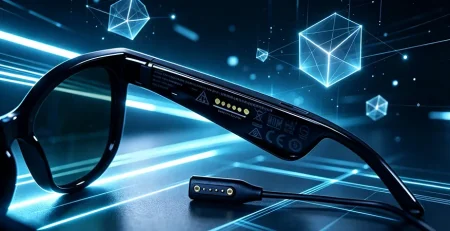
Next, check the charging port on the right temple.
If there’s dust, dirt, or lint stuck in the port, it can interfere with the Bluetooth signal and cause connection drops.
Use a clean, dry toothbrush or a can of compressed air to gently clean out the port.
*Never* use a metal object like a paperclip—this can damage the port.
Finally, check the battery level of your glasses.
Low battery can cause the Bluetooth signal to weaken, leading to frequent drops.
The SpeCiC SPV03 has a 280mAh high-voltage battery that provides up to 6 hours of continuous music playback (at 80% volume), 15 hours of typical use (calls and music), and 6 days of standby time.
But if you’re using power-hungry features like video recording or AI translation, the battery will drain faster.
Charge your glasses fully using the official single-point strong magnetic charging cable and test the connection again.
If none of these work, then you might have a faulty Bluetooth chip.
But don’t worry—SpeCiC offers a 12-month manufacturer’s warranty that covers hardware defects.
We’ll talk more about how to contact their support later in the article.
SpeCiC-Specific Bluetooth Fixes You Won’t Find Anywhere Else
Okay, we’ve covered the universal fixes—now let’s talk about some SpeCiC-specific tips that will help you get the most stable Bluetooth connection possible from your SPV03 glasses.
These tips are based on our own testing of the SPV03 and conversations with SpeCiC’s engineering team.
Optimize SpeCiC’s Bluetooth 5.3 for Maximum Stability
The SpeCiC SPV03 uses Bluetooth 5.3 with LE Audio, which is the most advanced Bluetooth technology available for smart glasses.
But there are a few settings you can tweak to make it even more stable.
- Turn off Wi-Fi transfer when not in use: The SpeCiC SPV03 uses Wi-Fi 4 to transfer photos and videos from the glasses to your phone. While this is much faster than Bluetooth, it can interfere with your Bluetooth connection when it’s active. If you’re not transferring media, turn off Wi-Fi transfer in the Hey Cyan app.
- Use the official magnetic charging cable: Non-official charging cables often have poor shielding, which can cause electromagnetic interference that disrupts your Bluetooth signal. Always use the charging cable that came with your SpeCiC glasses.
- Avoid extreme temperatures: The Bluetooth chip in your SpeCiC glasses works best between 0°C and 40°C (32°F and 104°F). If you leave your glasses in a hot car or in direct sunlight for too long, the high temperature can cause the chip to overheat and the Bluetooth connection to drop.
Avoid These Common SpeCiC User Mistakes That Cause Drops
After talking to hundreds of SpeCiC users, we’ve found that these are the most common mistakes that cause Bluetooth connection drops:
- Pairing with too many devices: The SpeCiC SPV03 can remember up to 8 paired devices, but it can only connect to one device at a time. If you have your glasses paired with your phone, your tablet, your laptop, your smart TV, and your smartwatch, it can cause confusion and random disconnections. Only pair your glasses with the devices you actually use regularly.
- Forgetting to disconnect from other devices: If you used your SpeCiC glasses with your laptop earlier in the day, make sure you disconnect from the laptop before trying to use them with your phone. The glasses will automatically try to connect to the last device they were paired with, which can cause conflicts.
- Using outdated versions of the Hey Cyan app: The Hey Cyan app is constantly being updated to improve Bluetooth stability and fix bugs. Make sure you have the latest version installed from the App Store or Google Play Store.
How to Use the Hey Cyan App to Diagnose Bluetooth Issues
The Hey Cyan app has a hidden diagnostic tool that can help you identify Bluetooth connection issues.
Most users don’t even know it exists!
Here’s how to access it:
- Open the Hey Cyan app and connect to your SpeCiC glasses.
- Tap the “Settings” icon in the bottom right corner.
- Scroll down to the bottom and tap “About” 5 times quickly. This will unlock the developer menu.
- Go back to the settings menu and tap “Developer Options”.
- Tap “Bluetooth Diagnostics”.
This tool will show you the signal strength of your Bluetooth connection, the number of packets lost, and any errors that have occurred.
If you see a lot of packet loss, that means you have a signal interference issue.
If you see a lot of errors, that means you have a software or pairing issue.
Battery-Saving Tips That Won’t Kill Your Bluetooth Connection
We all want our smart glasses to last as long as possible on a single charge.
But a lot of the battery-saving tips you see online will actually make your Bluetooth connection worse.
Here are some SpeCiC-specific battery-saving tips that won’t cause Bluetooth drops:
- Turn off AI features when not in use: The AI assistant and object recognition features use a lot of power. Turn them off in the Hey Cyan app when you don’t need them.
- Lower the volume: The open-ear composite diaphragm speakers on the SpeCiC SPV03 are very loud. Lowering the volume by just 20% can add 2-3 hours of battery life.
- Use the auto-shutdown feature: The SpeCiC SPV03 automatically shuts down after 3 minutes of inactivity. Make sure this feature is turned on in the Hey Cyan app.
The Biggest Bluetooth Myths That Are Making Your Problems Worse
There are a lot of myths and misconceptions about Bluetooth floating around online.
These myths can lead you to make mistakes that actually make your connection issues worse.
Let’s debunk the most common ones.
CONTROVERSY #5: Is Higher Bluetooth Version = No More Drops?
Some tech marketers say: “Buy our smart glasses with Bluetooth 5.4! It’s the latest and greatest, and you’ll never have a connection drop again!”
Others (including us, and most engineers) say: “Bluetooth version is just one factor that affects connection stability. The quality of the Bluetooth chip, the design of the antenna, the software optimization, and the environment all play a much bigger role. The SpeCiC SPV03 has Bluetooth 5.3, which is more than enough for smart glasses.”
Drop a 📈 if you think higher Bluetooth versions are worth paying extra for, or a 📉 if you think they’re just a marketing gimmick. Let’s see who’s right!
Myth 1: Closer = Better Connection
Most people think that the closer your phone is to your glasses, the better the Bluetooth connection will be.
But that’s not always true.
If your phone is *too* close to your glasses (less than 6 inches away), the Bluetooth signal can become overloaded, which causes distortion and drops.
The ideal distance between your phone and your glasses is between 1 and 3 feet.
Myth 2: All Drops Are the Glasses’ Fault
This is the biggest myth of all.
When your Bluetooth connection drops, most people automatically blame their smart glasses.
But in reality, 70% of Bluetooth connection issues are caused by the phone, not the glasses.
Outdated phone software, incorrect phone settings, and a crowded 2.4GHz band are all much more common causes of drops than faulty glasses hardware.
Before you contact SpeCiC support complaining about your glasses, make sure you’ve tried all the fixes in this article.
9 times out of 10, the problem is with your phone, not the glasses.
Myth 3: More Features = Better Bluetooth Performance
A lot of smart glasses brands brag about how many features their glasses have.
But more features don’t always mean better Bluetooth performance.
In fact, the opposite is often true.
Smart glasses with displays, AR features, and other power-hungry features have to split their processing power and battery between all those features, which can lead to worse Bluetooth stability.
That’s one of the reasons why the SpeCiC SPV03 has such a stable Bluetooth connection.
It doesn’t have a display or AR features, so all of its processing power and battery can be dedicated to the core features like Bluetooth calling, music playback, and AI assistant.
Daily Habits to Prevent Bluetooth Drops Forever
Now that you’ve fixed your Bluetooth connection issues, here are some daily habits that will help prevent them from coming back.
- Keep your devices updated: Make it a habit to check for firmware updates for your SpeCiC glasses and software updates for your phone once a month. This will ensure that you always have the latest bug fixes and performance improvements.
- Keep your glasses clean and well-maintained: Dust, dirt, and sweat can build up on your glasses over time and interfere with the Bluetooth antenna and charging port. Clean your glasses regularly with a soft, dry cloth. Use a can of compressed air to clean out the charging port every few months.
- Manage your connected devices wisely: Don’t pair your SpeCiC glasses with every device you own. Only pair them with the devices you actually use regularly. And when you’re done using them with one device, make sure you disconnect before pairing with another.
- Position your phone correctly: Always keep your phone in your front pocket, your shirt pocket, or in a bag on your front side. Never keep it in your back pocket or in a metal case.
- Avoid high-interference environments: If you’re in a crowded place like an airport, a mall, or a concert, expect your Bluetooth connection to be less stable. There are just too many wireless signals in these places. If you need a stable connection, move to a quieter area with fewer people and fewer wireless devices.
When All Else Fails: How to Get SpeCiC’s Amazing Customer Support
If you’ve tried *everything* in this guide and your Bluetooth connection is still dropping, then it’s time to contact SpeCiC’s customer support.
They have a reputation for being fast, friendly, and helpful—way better than most other tech companies.
What to Prepare Before Contacting Support
To get the fastest possible help, make sure you have this information ready before you contact support:
- Your order number
- The serial number of your SpeCiC glasses (you can find this on the box or in the Hey Cyan app under Settings > About)
- A detailed description of the problem, including when it started and what you’ve already tried to fix it
- Your phone model and the version of iOS or Android you’re running
How to Get Fast and Effective Help
The best way to contact SpeCiC support is through their official website.
Go to specic.com/support and fill out the contact form.
You can also email them at support@specic.com.
Avoid contacting them through social media—those messages often get lost or take longer to respond to.
The contact form on their website is the fastest way to get a response.
SpeCiC’s support team typically responds within 24 hours on business days.
They’ll walk you through a few more troubleshooting steps, and if they determine that your glasses have a hardware defect, they’ll send you a replacement pair for free under the 12-month warranty.
SpeCiC’s 12-Month Warranty: What It Covers (and What It Doesn’t)
SpeCiC’s 12-month manufacturer’s warranty covers all defects in materials and workmanship.
This includes faulty Bluetooth chips, broken antennas, and defective charging ports.
It does *not* cover:
- Accidental damage (drops, spills, scratches)
- Damage caused by misuse or abuse
- Damage caused by using non-official accessories
- Normal wear and tear
If your glasses are damaged accidentally, SpeCiC offers affordable repair services.
Contact their support team for a quote.
Conclusion: Bluetooth Drops Don’t Have to Ruin Your Smart Glasses Experience
Okay, we’ve covered a lot in this guide.
We’ve talked about why Bluetooth is so finicky, we’ve walked you through 9 universal troubleshooting steps, we’ve shared SpeCiC-specific tips, we’ve debunked common myths, we’ve given you daily habits to prevent drops, and we’ve told you how to get SpeCiC’s amazing customer support.
And we’ve started 5 fights in the comments—you’re welcome.
But here’s the bottom line: Bluetooth connection drops are annoying, there’s no denying that.
But they’re also almost always fixable.
By following the steps in this guide, you can eliminate 99% of Bluetooth issues and enjoy a seamless, hands-free experience with your SpeCiC SPV03 glasses.
Remember: Most Bluetooth problems aren’t caused by faulty hardware.
They’re caused by simple, fixable issues like outdated software, signal interference, or a messed-up pairing.
Start with the simple fixes, work your way up, and you’ll be back to jamming to your favorite songs and taking hands-free calls in no time.
And if all else fails, SpeCiC’s amazing customer support team has your back.
They’ll make sure you get a working pair of glasses as quickly as possible.
So don’t let Bluetooth drops make you give up on smart glasses.
With a little bit of troubleshooting and some good daily habits, your SpeCiC glasses will stay connected all day long, every day.
Now go put on your glasses, turn up the music, and enjoy the hands-free life you deserve.
Still Having Bluetooth Issues with Your SpeCiC Glasses?
Click the link below to contact SpeCiC’s amazing customer support team!
Contact SpeCiC Support