

Why Do My Smart Glasses Not Respond to Voice Commands?
SpeCiC-AI-Smart-Glasses2026-04-16T14:57:17+08:00Why Do My Smart Glasses Not Respond to Voice Commands?
You dropped $239 on sleek Specic AI smart glasses to snap hands-free 1080P videos, translate Tokyo street signs, and skip bad songs without touching your phone. So when you yell “Hey Cyan!” and get silence? It feels like betrayal. But here’s the truth: 99% of the time, your glasses aren’t broken—they’re just having a tiny tech meltdown. Let’s fix that.
First: Did You Even Set Up Voice Wake-Up Correctly? (Hot Take: Most People Don’t)
Unboxing Specic glasses is exciting—you rip open the package, slide them on, and ignore the manual to test the 8MP Sony camera. But here’s the catch: your glasses aren’t pre-programmed to listen for “Hey Cyan.” You have to turn it on first.
Is it our fault for skipping the manual, or should manufacturers enable voice wake-up by default? Why make us hunt for a toggle in an app?
Even if you turned it on, you might have trained the wake word in a crowded coffee shop. Your Specic glasses have great ENC noise cancellation, but they’re not miracle workers. If you trained “Hey Cyan” over the sound of an espresso machine, they’ll never recognize it in a quiet room.
The Fix:
- Open the HeyCyan app (iOS 14.4+ / Android 10+), go to Settings > Voice Wake-Up, and toggle it on.
- Re-train the wake word in a dead-quiet room—no TV, no music, no roommates yelling.
- Pro tip: Don’t change the wake word to “Hey Glasses” then forget and yell “Hey Cyan” three months later. We’ve all done it.
Your Bluetooth & App Connection Is Probably On Life Support
Okay, you set up the wake word correctly. But your glasses still stare back at you in silence. What’s next? Chances are, your connection is broken. Here’s a hard truth: Specic glasses don’t work without a phone. Almost all AI features rely on Bluetooth 5.3 and an active HeyCyan app.
Start with the basics: Is Bluetooth even on? We’ve all toggled it off by accident. If it is on, your glasses might be disconnected—maybe your phone prioritized your wireless earbuds first. Toggle Bluetooth off and back on to reset.
The App Trap:
The Specic FAQ says it clearly: the app needs to run in the foreground/background. But iPhones kill background apps to save battery, and Android skins like MIUI are even worse. If you swiped the app closed, your glasses lose their AI brain.
- iPhone: Settings > General > Background App Refresh > Toggle on for HeyCyan.
- Android: Settings > Apps > HeyCyan > Battery > Turn off optimization.
Is Your Battery Dead? (Or Just Dramatically Low?)
The Specic glasses have a 280mAh battery that lasts 6 hours of music, 15+ hours of calls, and 6 days of standby. But here’s the controversial part: when the battery drops below 10%, they kill voice wake-up first to save juice. Is that fair? Should they warn us instead of just ignoring us?
Manufacturers overpromise “all-day battery” but don’t tell you that power-hungry features die first. We’re left yelling at dead glasses, thinking we broke them.
Check the battery in the HeyCyan app. If it’s low, plug in the magnetic charger—pro tip: make sure it snaps into place, or you’ll wake up to a still-dead pair. And yes, you can record while charging.
Your Environment Is Sabotaging You (And Your Glasses Can’t Hear)
You’ve checked setup, connection, and battery—all good. But still no response? Look around. Wind noise is kryptonite for microphones. If you’re biking at 30mph, the wind hitting the temple mics drowns out your voice. Even the best ANC+ENC can’t fix that.
Other culprits: extreme background noise (a rock concert, a family reunion), physical obstructions (a scarf covering the temples, glasses pushed on your forehead), or gunk in the mic holes (sweat, dust, makeup).
Quick Fixes:
- Step out of the wind or turn your head away from it.
- Make sure the temples are uncovered and glasses are on your face.
- Clean mic holes with a dry, soft toothbrush—no chemicals!
Let’s Be Honest: Did You Mumble The Wake Word?
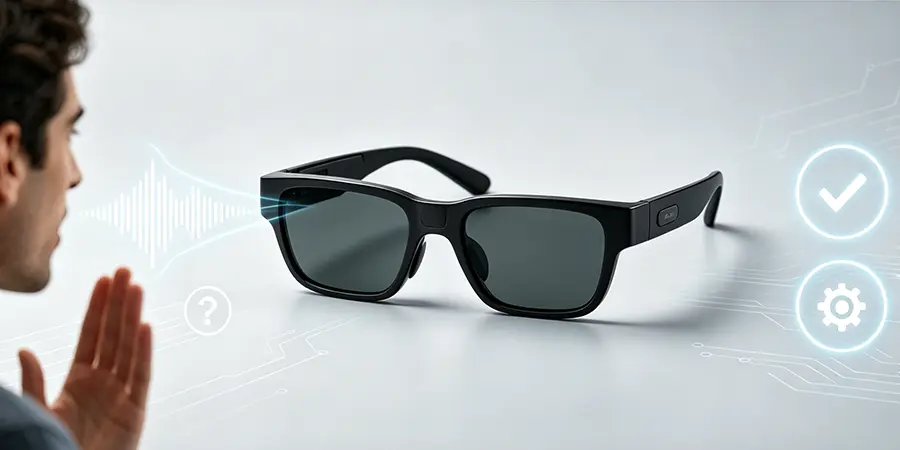
Your Specic AI is smart, but it’s not a mind reader. If you mumble “HeyCyantakeavideo” all in one breath, it can’t parse that. It needs a pause: “Hey Cyan” → wait for the chime → “start recording.”
Also: don’t ask it to do the impossible. It can’t walk your dog or make you a sandwich. Stick to its features:
- 1080P/30FPS video & 2K photos
- 139-language real-time translation
- Object recognition, meeting recording, music control
Outdated Firmware/App? (And When To Call Support)
If you’ve tried everything, check for updates. The Specic team releases fixes for voice recognition bugs all the time. Update the app in the App Store/Play Store, then check for firmware updates in the HeyCyan app (Settings > Firmware Update).
If nothing works? It’s probably hardware—a faulty mic, broken battery, or dead processor. Your Specic glasses have a 12-month warranty. Contact support with your order number, SKU (SPV03), and a list of troubleshooting steps you tried.
Pro Tips To Keep Your Specic Glasses Listening Forever
- Clean mics regularly with a microfiber cloth and dry toothbrush.
- Check for app/firmware updates once a month.
- Store in the included pouch to avoid dust/drops.
- Re-train the wake word every 3-6 months.
At the end of the day, smart glasses have off days—just like your phone or laptop. A little troubleshooting goes a long way. Now go yell “Hey Cyan!” and get back to your hands-free life.